WB sender AI User Manual
The complete guide to mastering WB sender AI — your professional local-first WhatsApp automation platform. Learn every screen, workflow, and safety feature.
Activation & License Management
When you first launch WB sender AI, you'll land on the Activation page. Start a free trial, purchase a license, or manage your existing subscription — all without leaving the app.
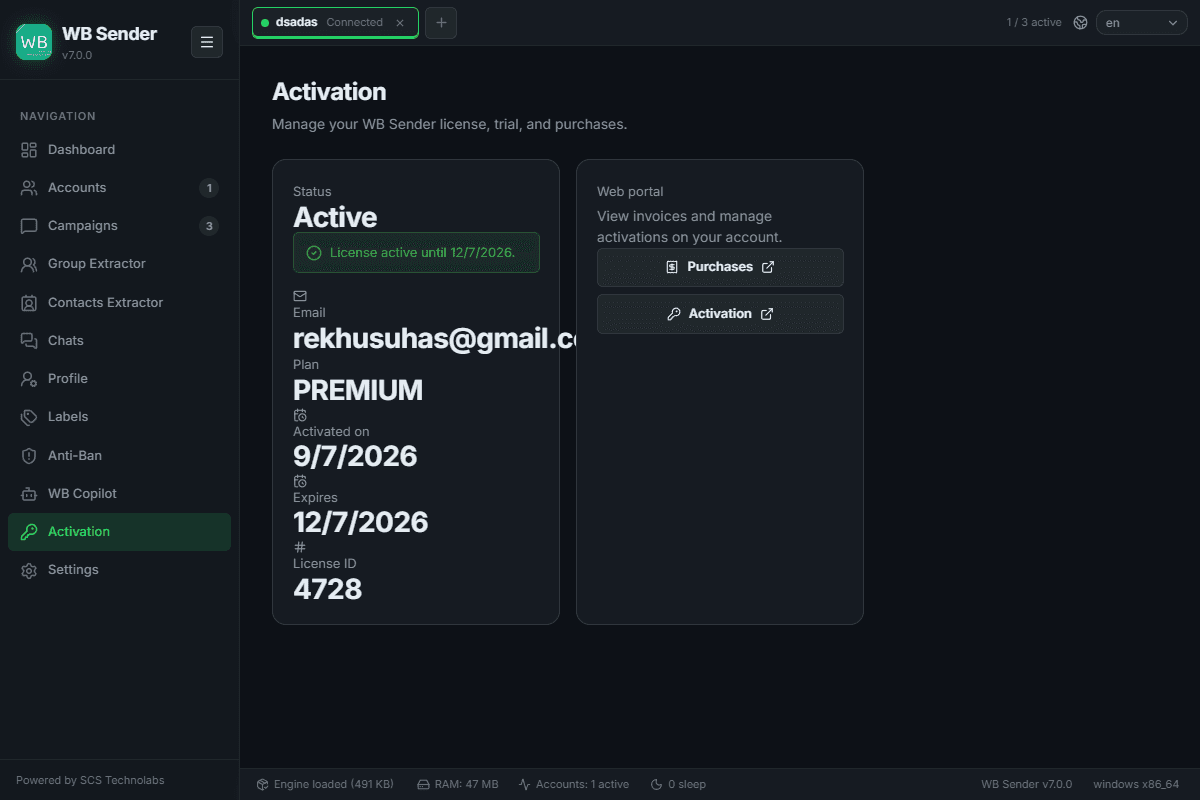
Start using WB sender AI instantly with an optional email registration.
Purchase a PREMIUM plan directly from the app. Activation is automatic once payment clears.
Access your purchase history and manage activations via the secure web portal links.
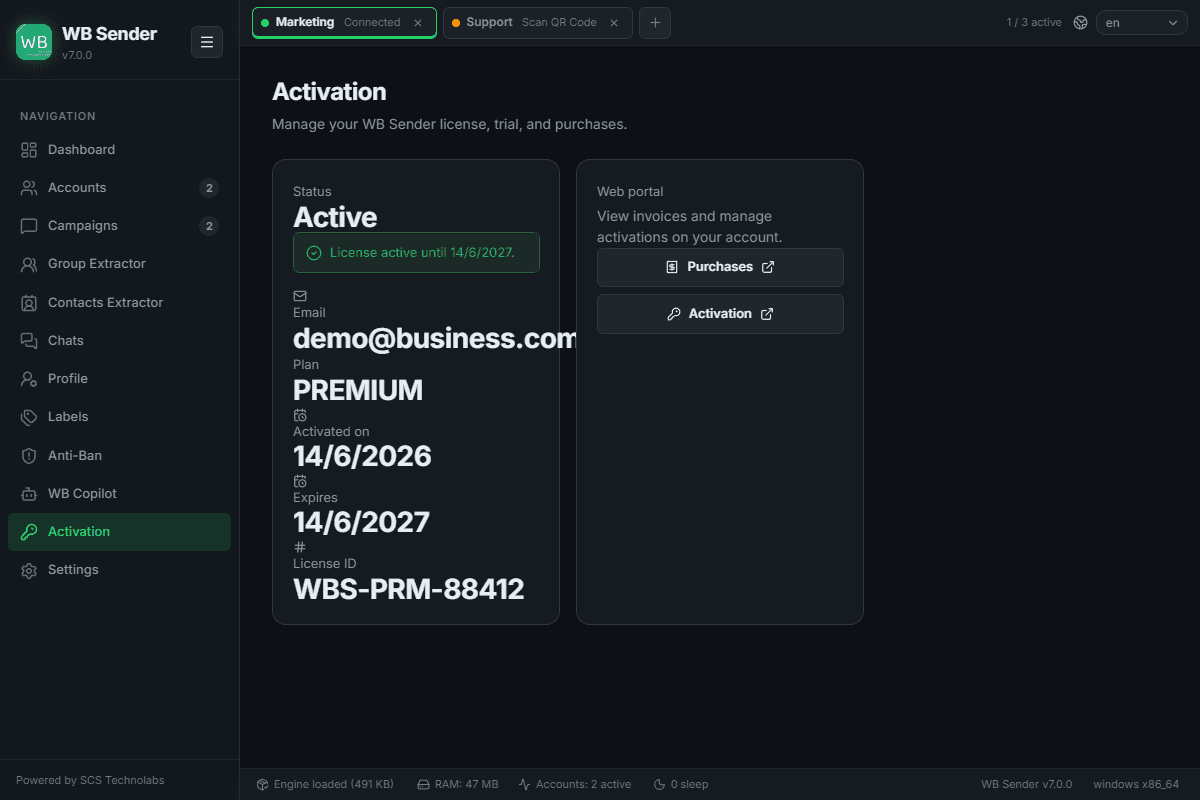
View your current plan, activation date, expiry, and License ID at a glance.
Screens & States
Email entry + "Start Trial" — shown while the license is unverified/expired.
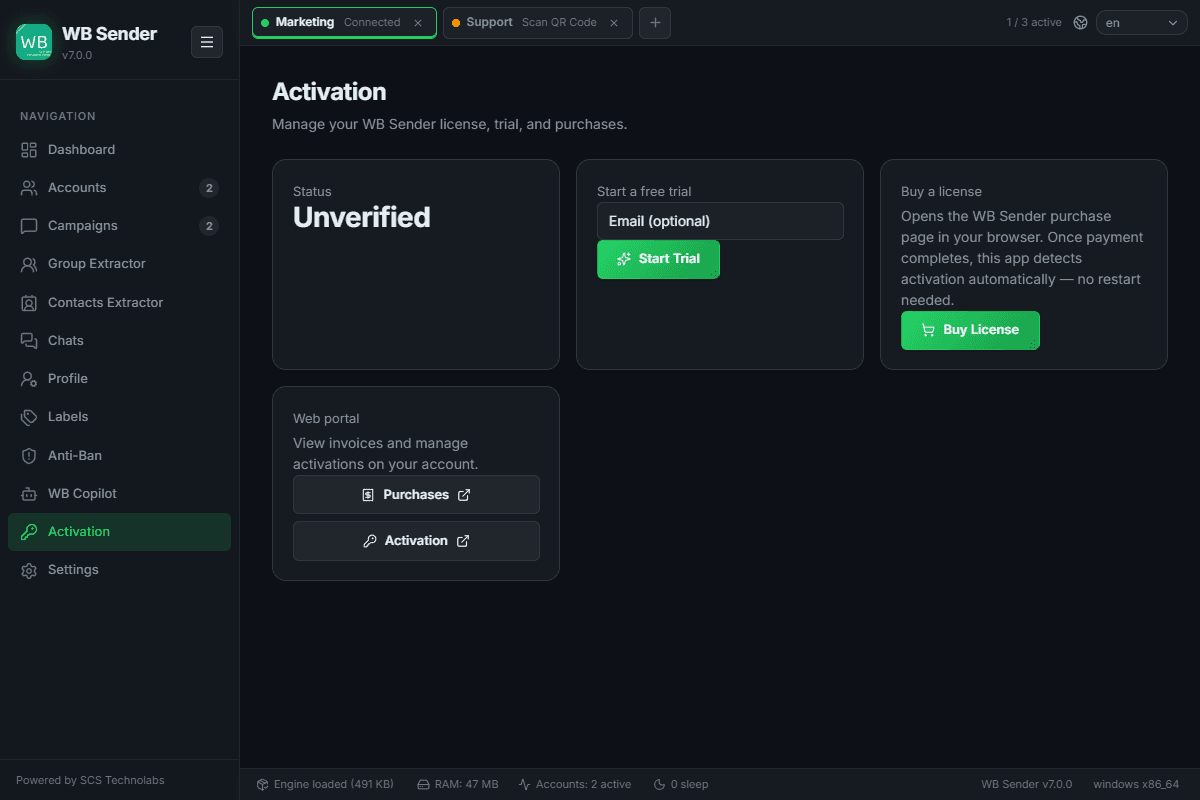
External links to your Purchases and Activation management pages.
Dashboard Overview
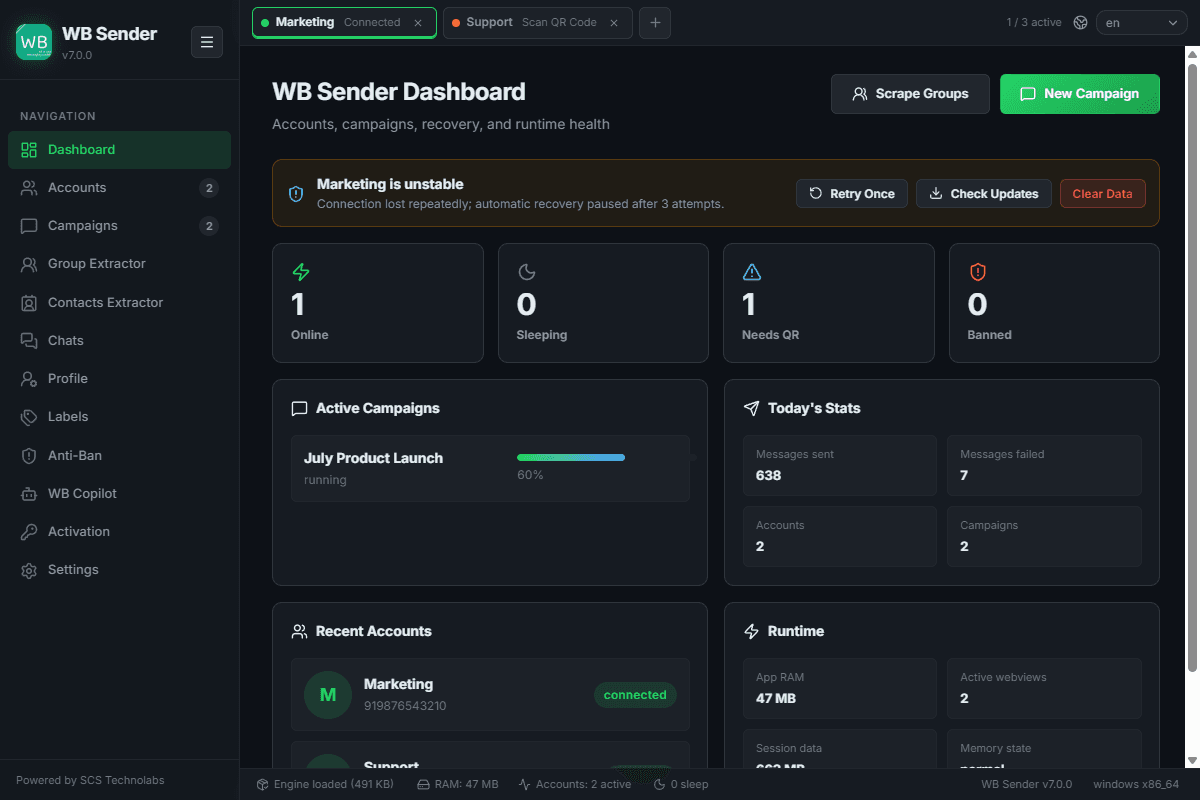
The Dashboard is your command center — a real-time overview of every connected WhatsApp account, active campaigns, messaging statistics, and system health.
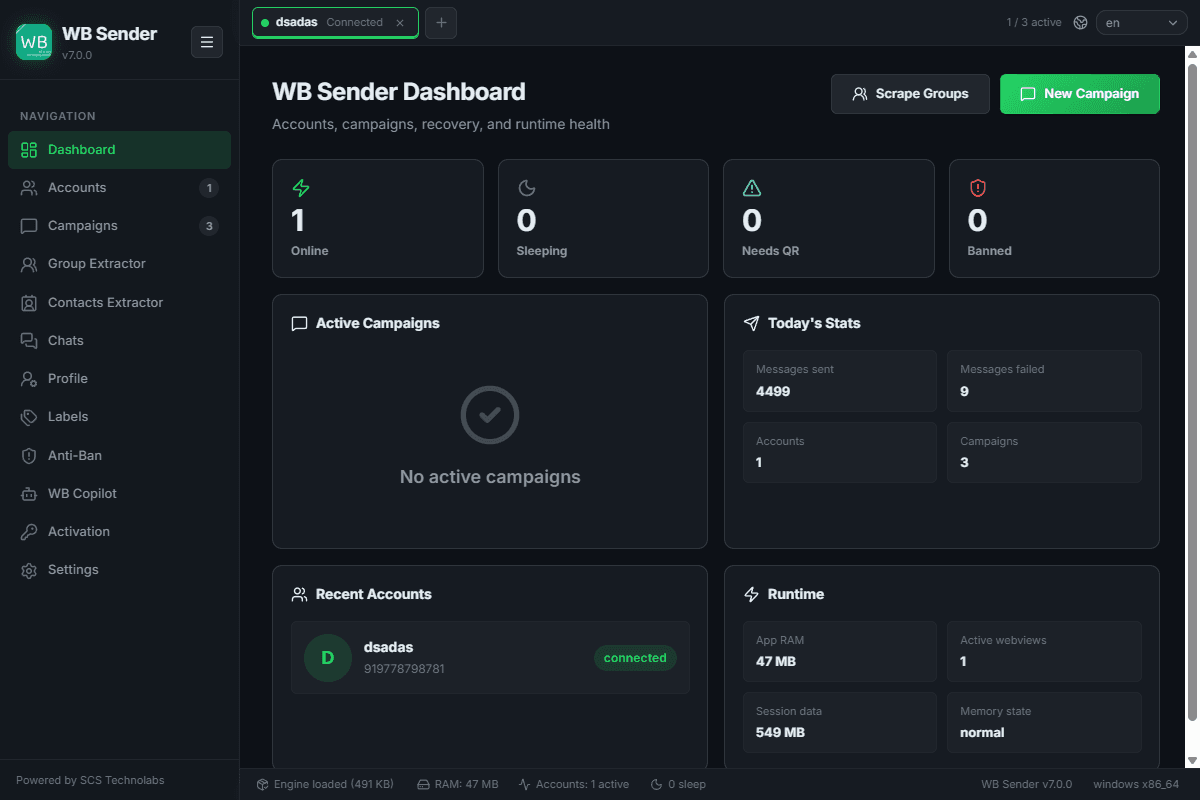
See connected accounts: Online, Sleeping, needing QR re-scan, or Banned.
Monitor currently running campaigns and progress in real time.
Track messages sent, failed, and campaign count for the current day.
Monitor RAM usage, active webviews, session data, and memory state.
Launch a new campaign or scrape groups directly from top dashboard buttons.
Screens & States
Appears when session fails — offers Retry, Check Updates, and Clear Data.
WhatsApp Account Management
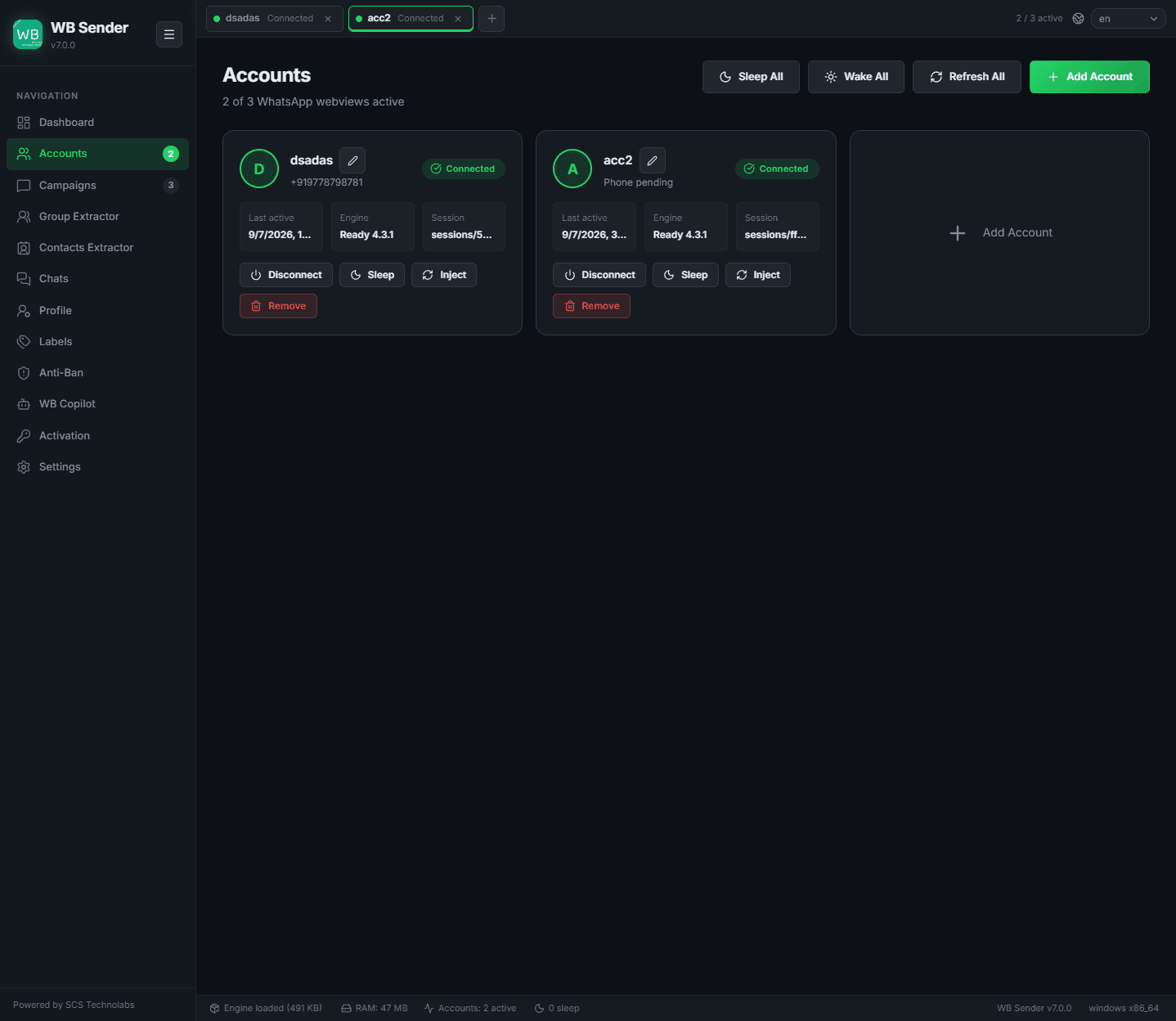
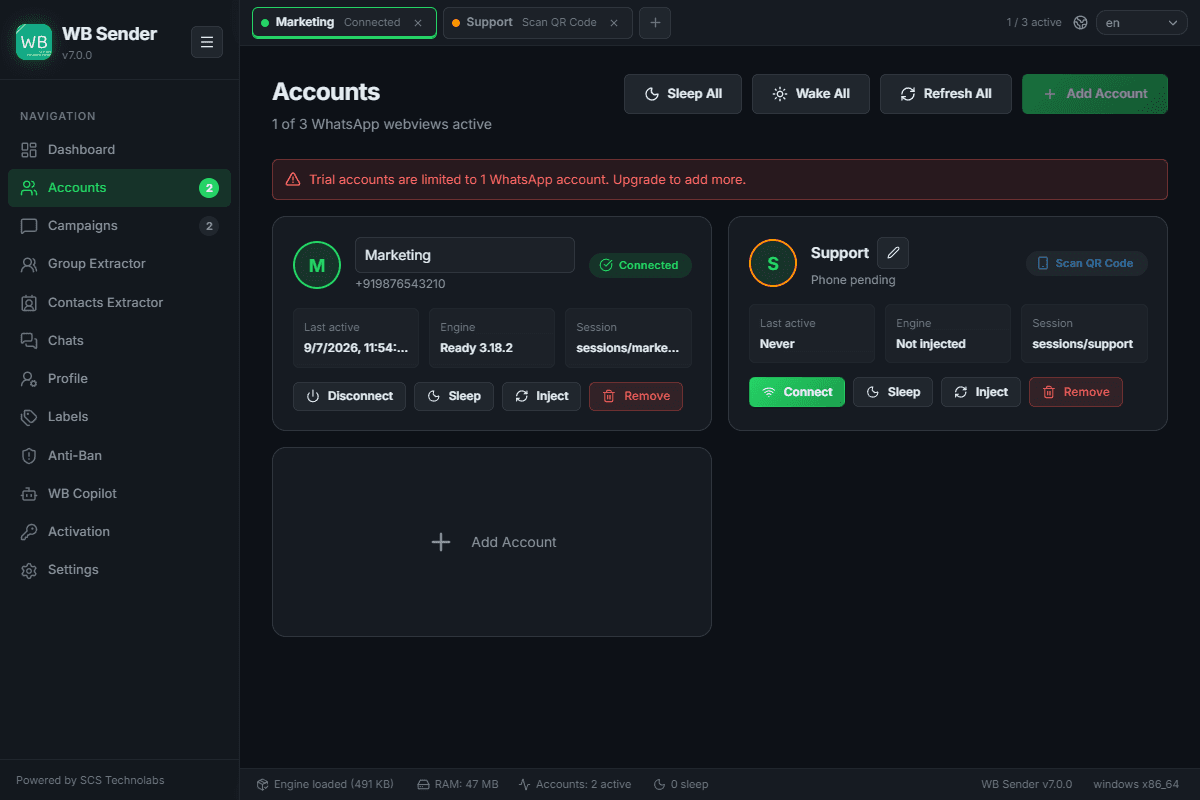
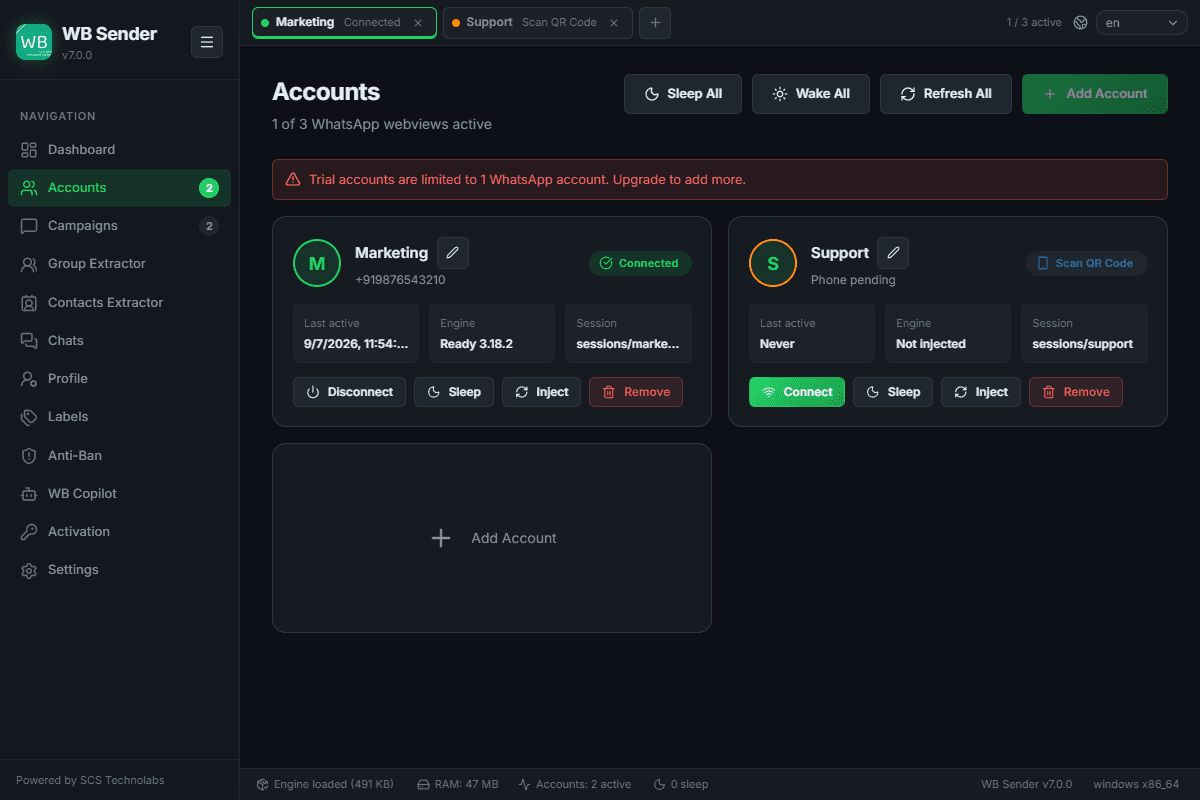
Add, connect, and manage multiple WhatsApp accounts. Each account runs in an isolated session, so they never interfere with one another.
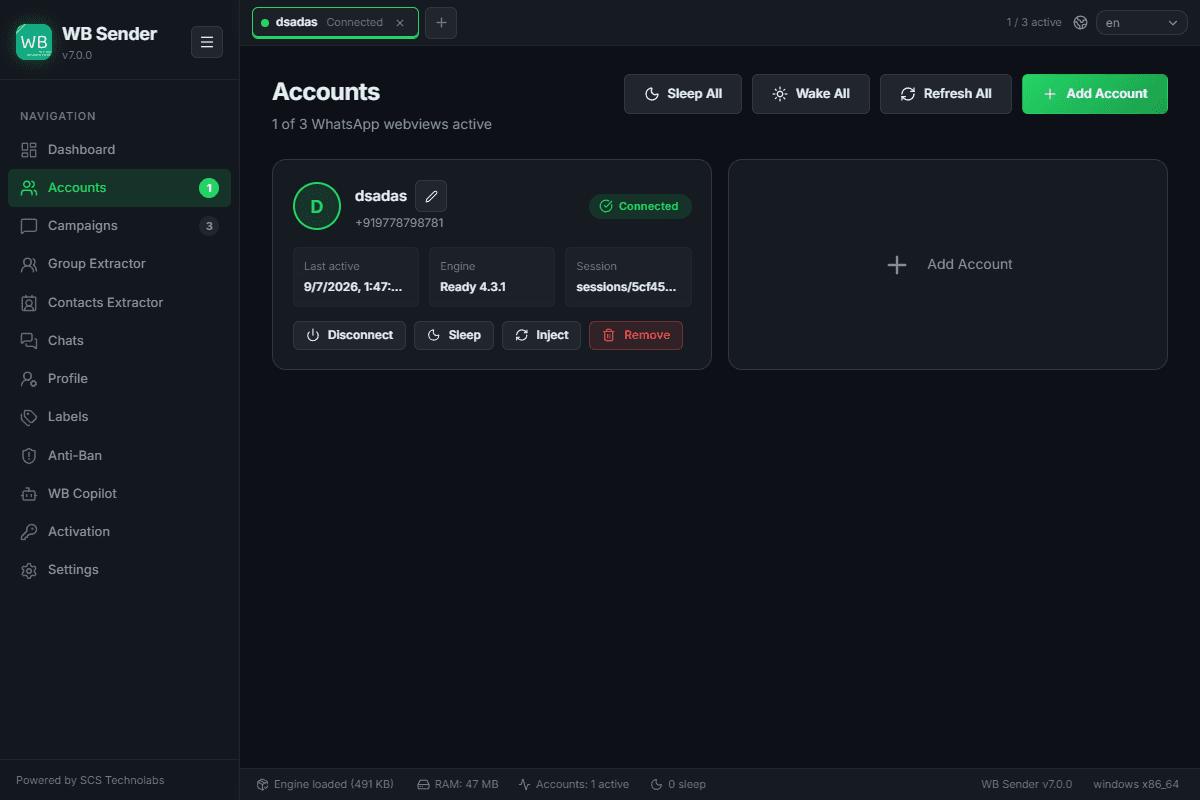
Click the "+" tab to add a new WhatsApp number, then scan the QR code to link.
Toggle accounts on and off without losing local session cache.
Put inactive accounts to sleep to save RAM and system resources.
Give accounts friendly labels, or delete and clear session directories safely.
Screens & States
Campaign Management
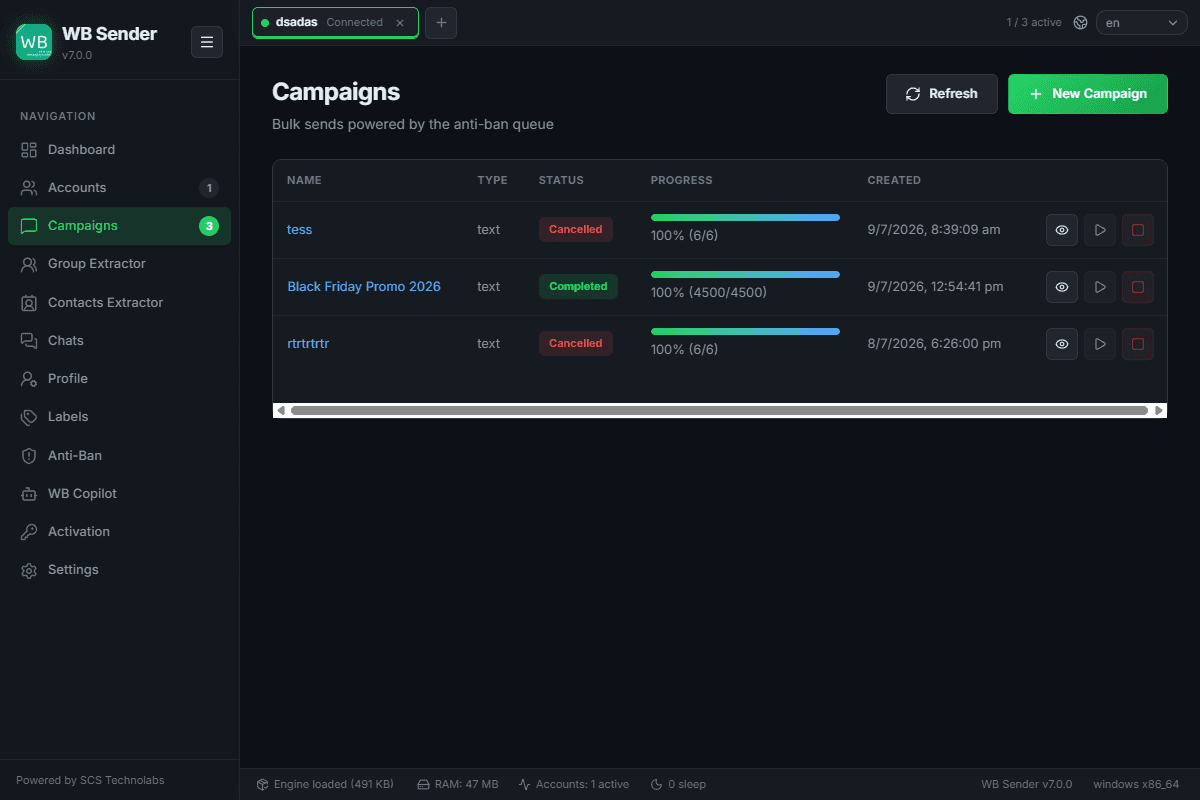
Create, manage, and monitor bulk messaging campaigns. Campaigns support text, media, and voice messages with built-in anti-ban safety measures.
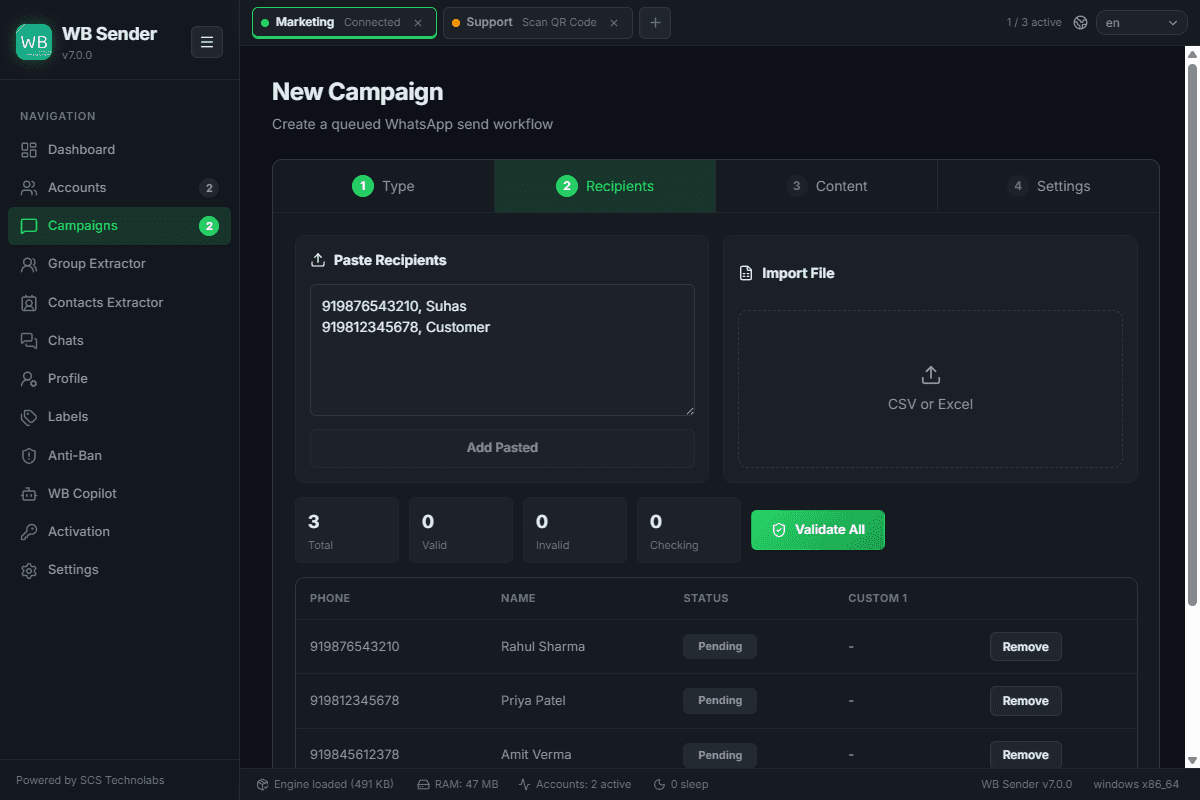
Use Ctrl+N or the "New Campaign" wizard button to load lists and compose.
Start, pause, resume, or cancel campaigns dynamically at any point.
Real-time sent / failed / pending counters with specific logs per recipient.
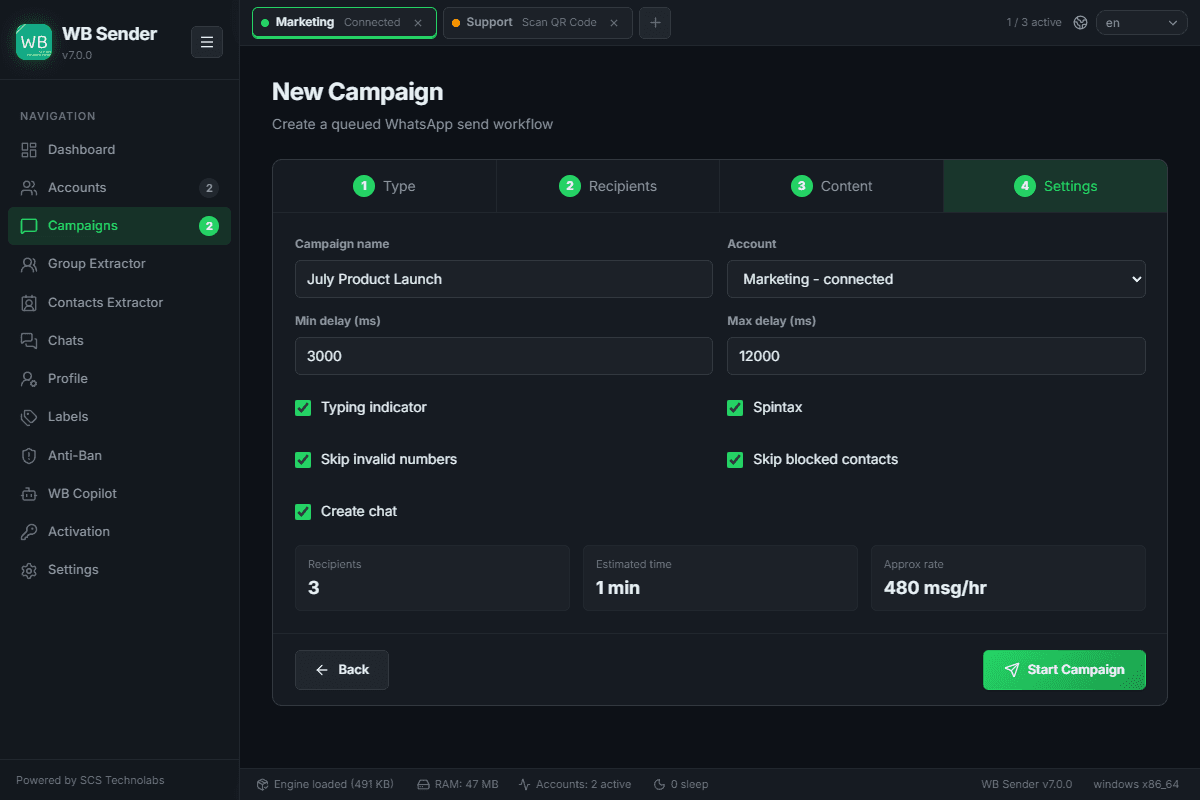
Campaigns respect your anti-ban variables like delays and hourly/daily sending caps.
Create Campaign Wizard
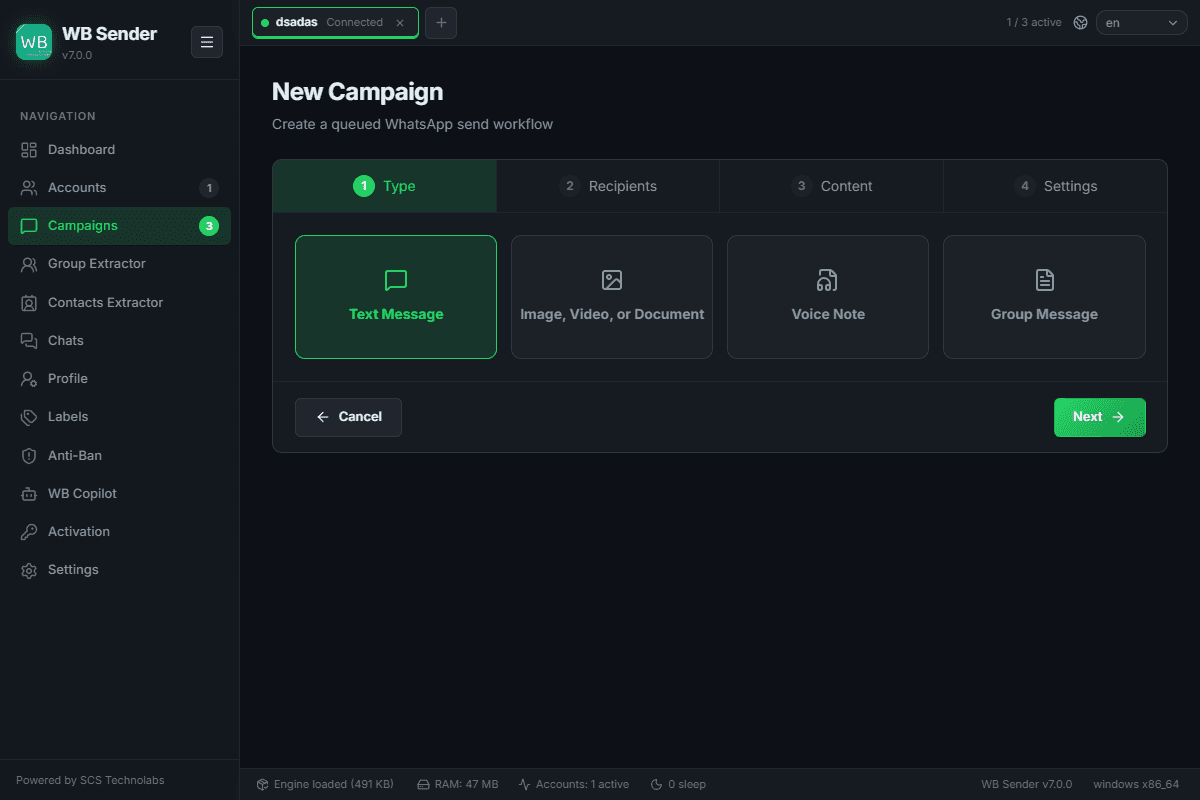
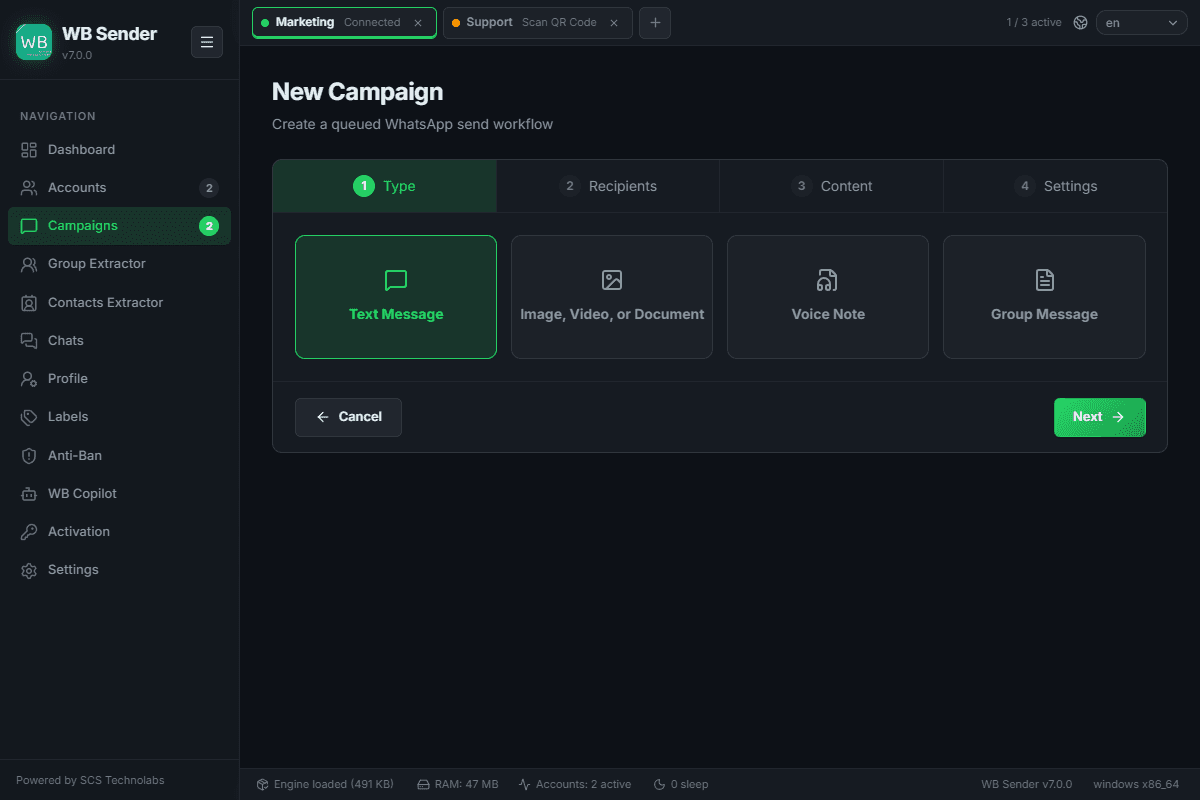
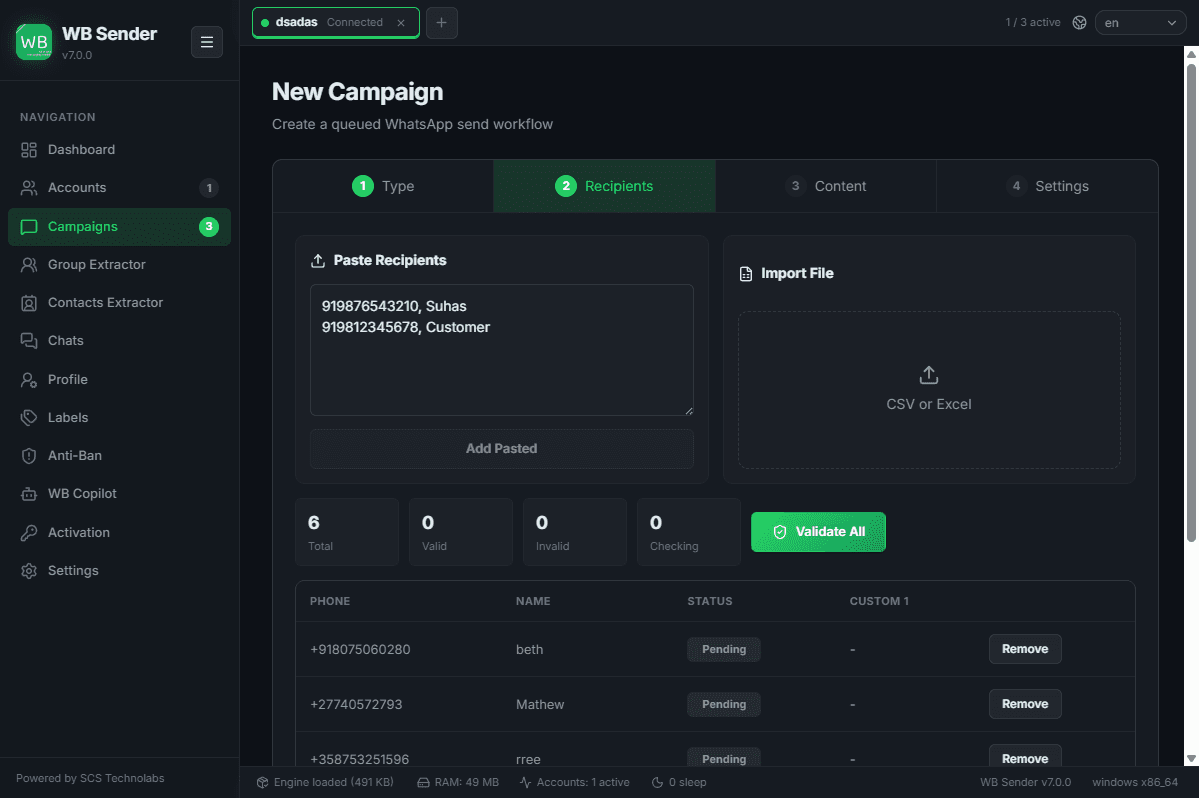
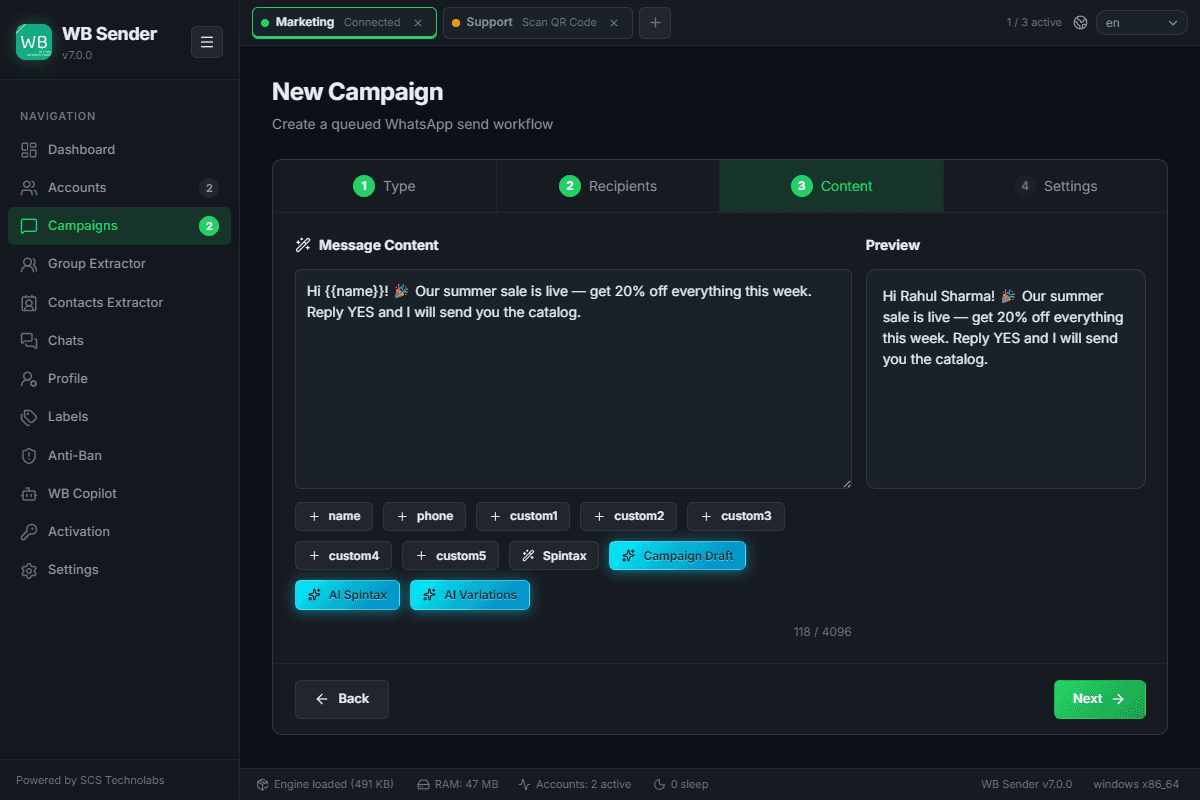
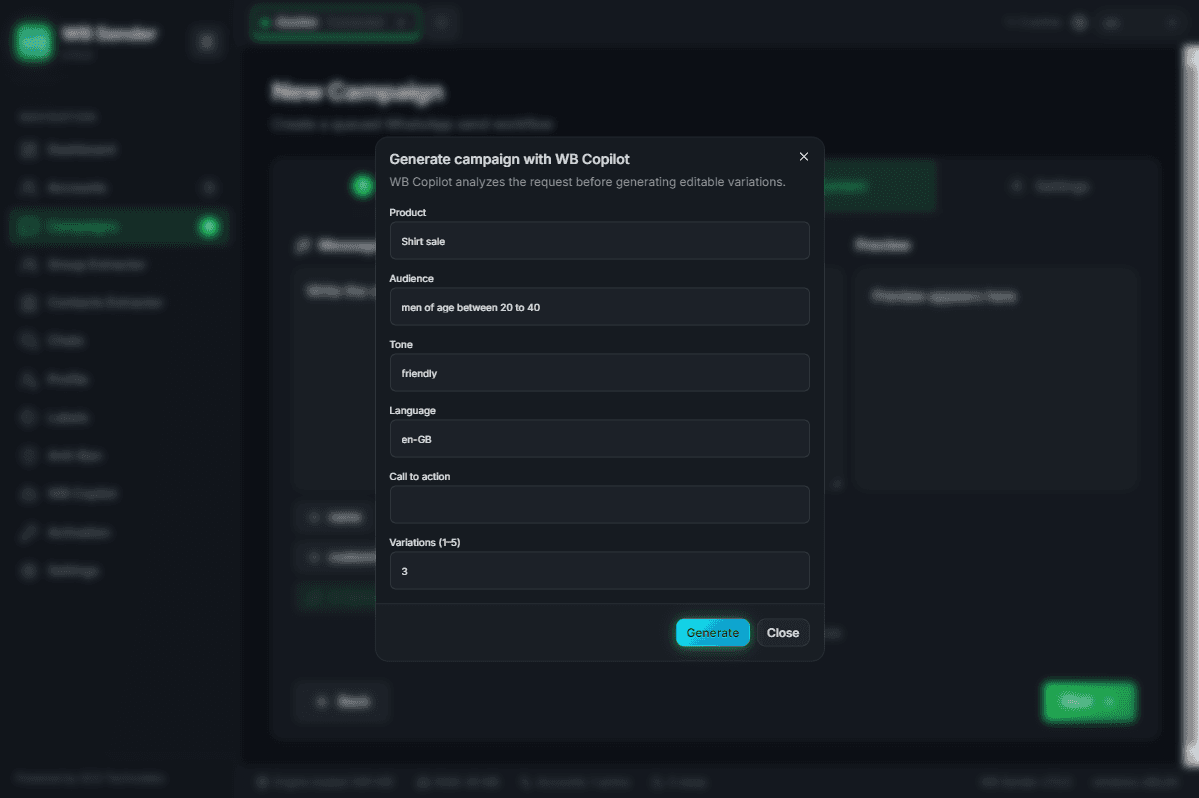
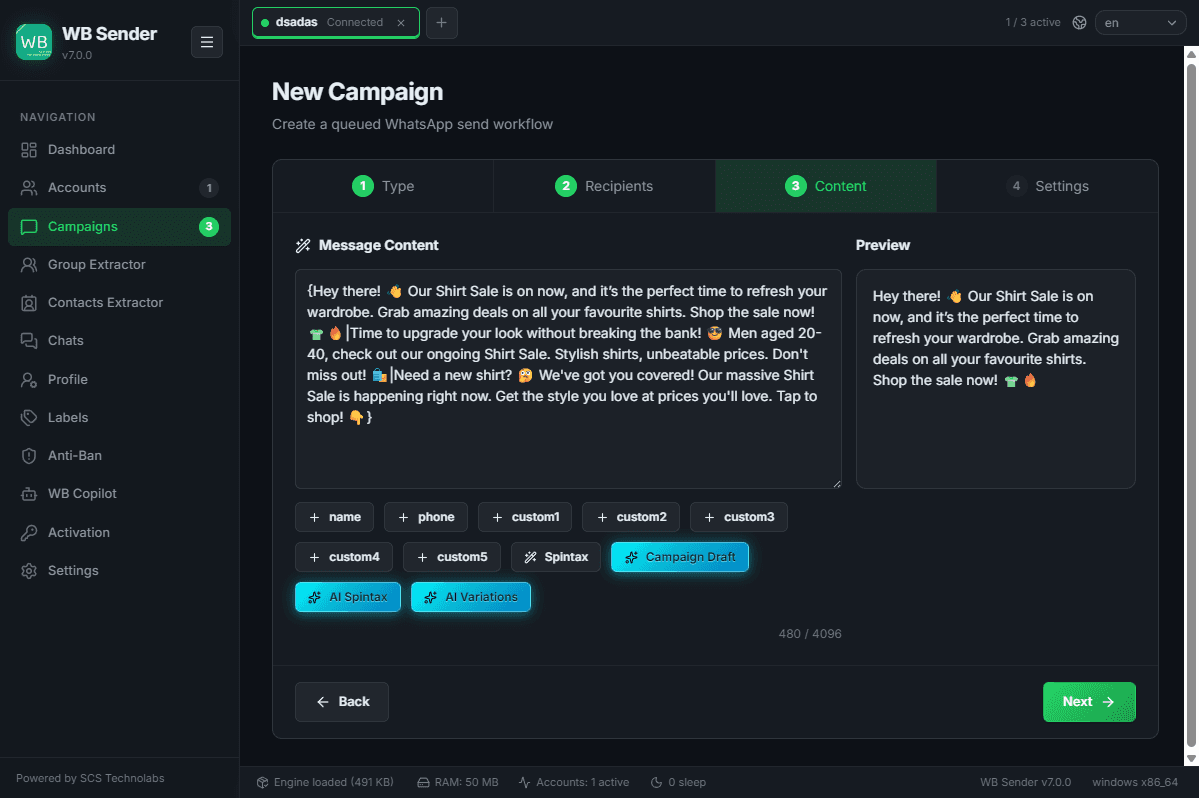
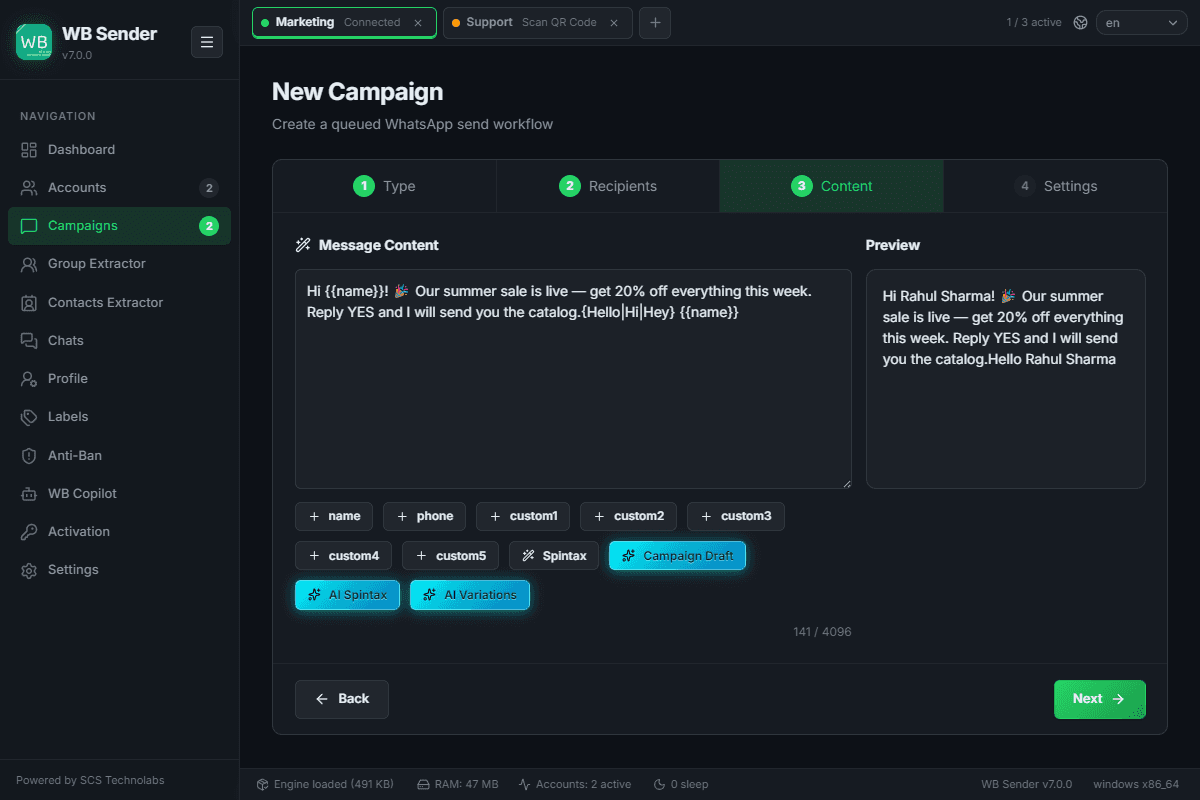
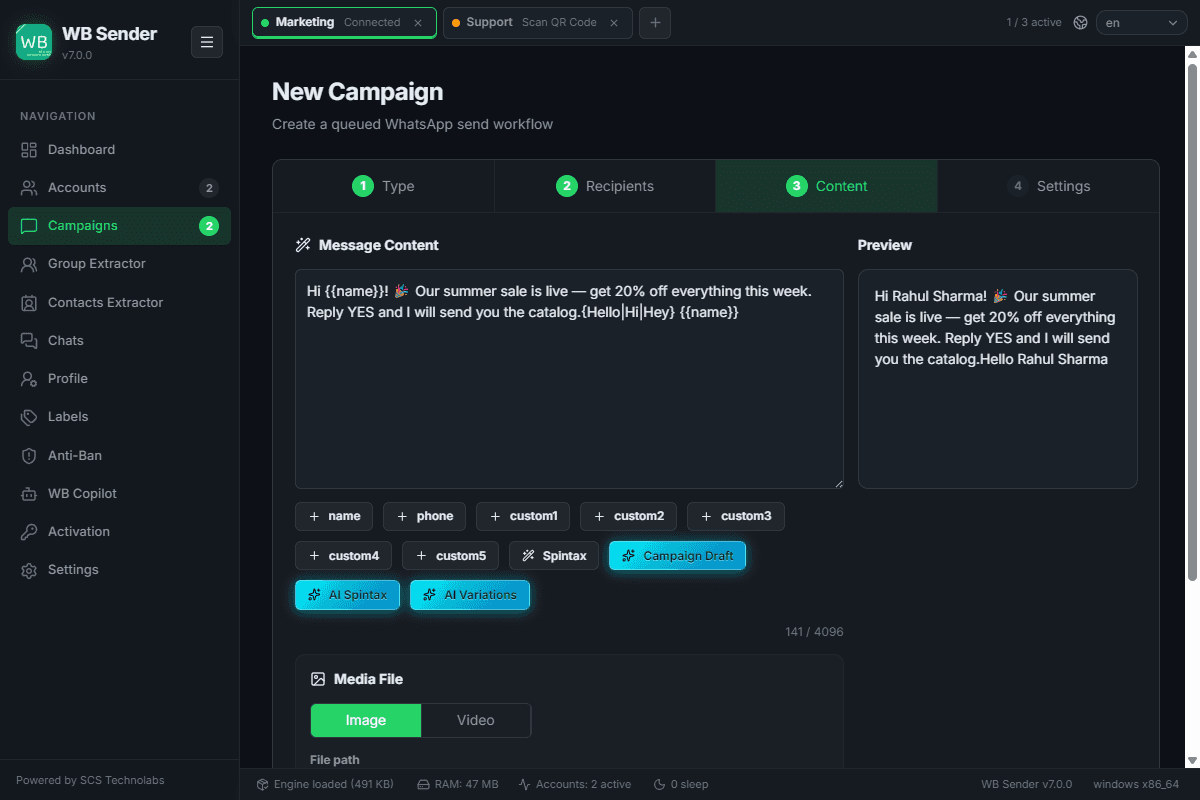
A guided four-step flow — Type → Recipients → Content → Settings — where you import recipients from CSV, craft your message with variables and media, and dial in the safety limits before launch.
Wizard Steps & Tools
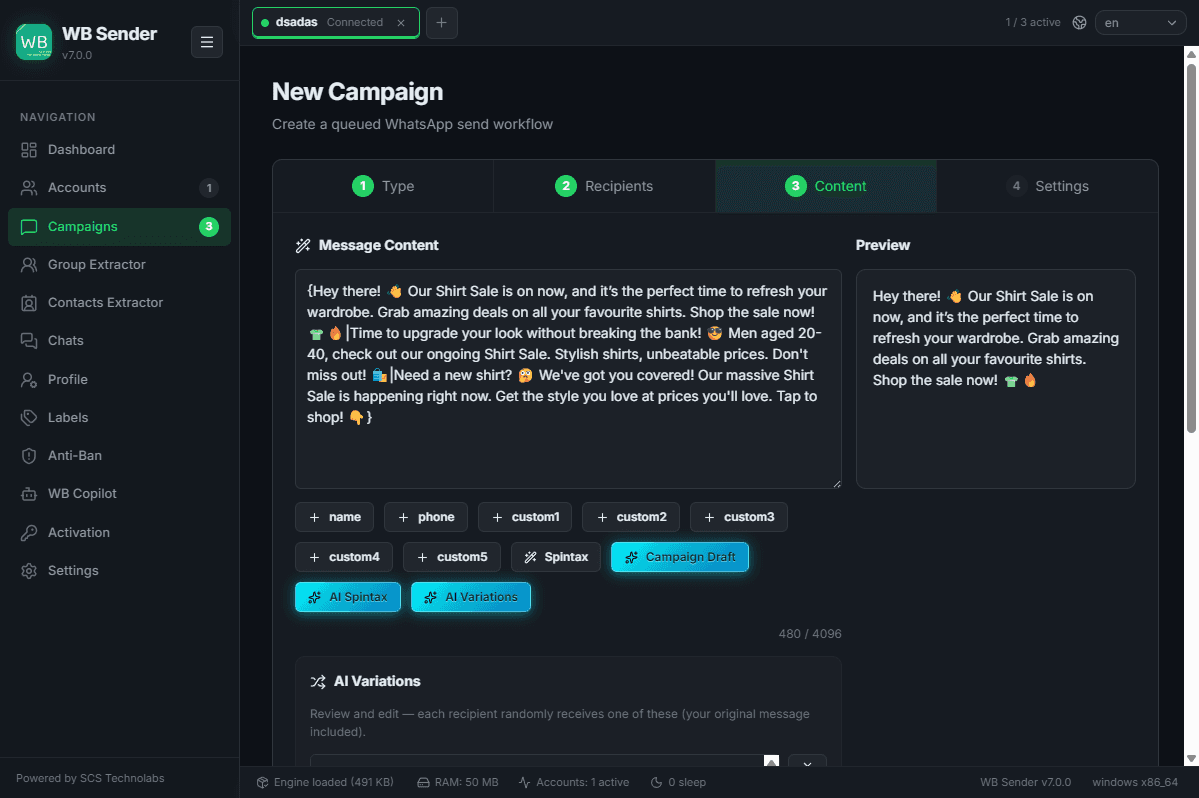
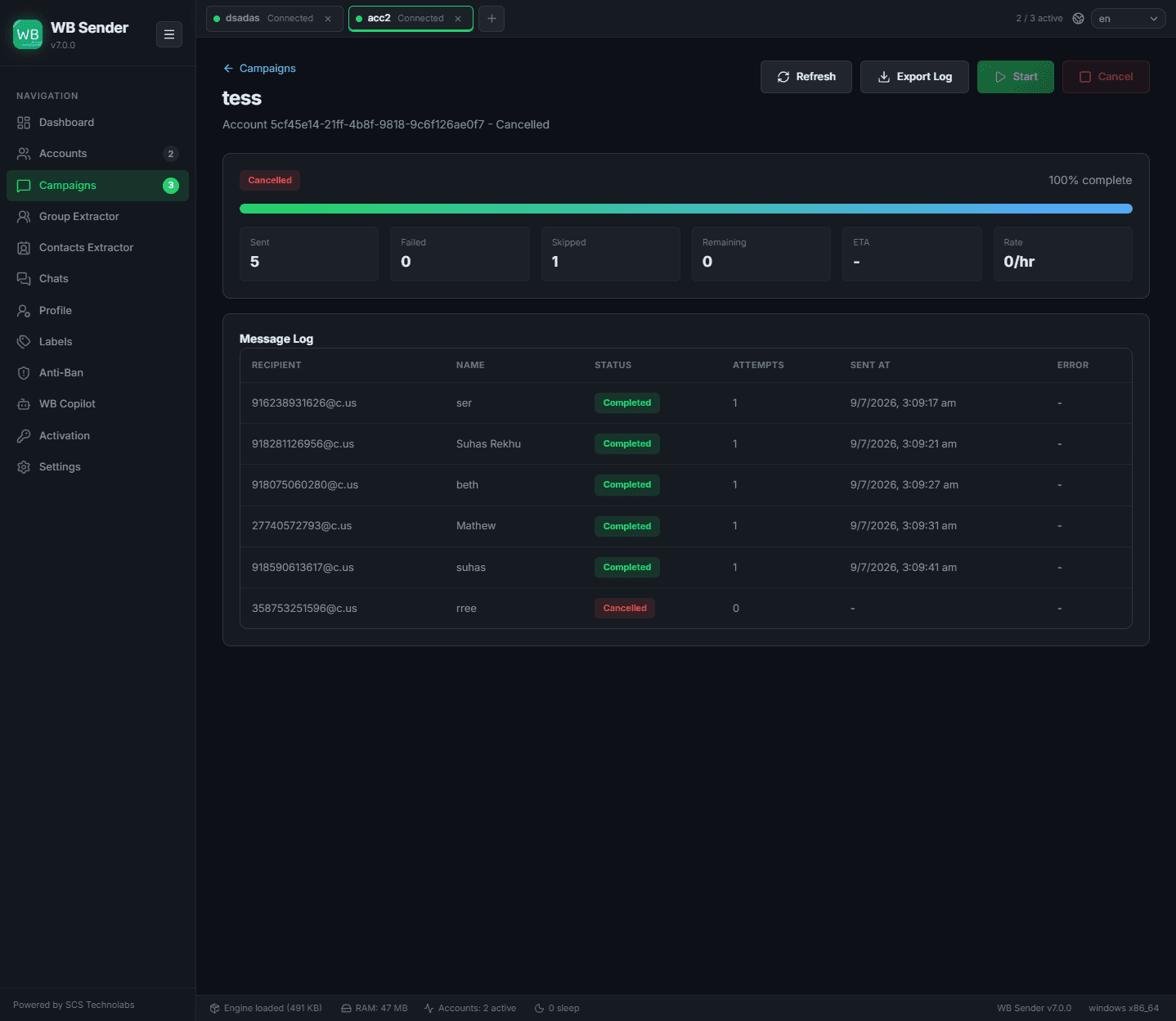
Campaign Details
Deep-dive into a running campaign — live logs, per-recipient status (sent / failed / pending), delivery metrics, an ETA, and one-click log export. If the anti-ban circuit breaker trips, a pause banner shows the cooldown countdown.
Group Extractor
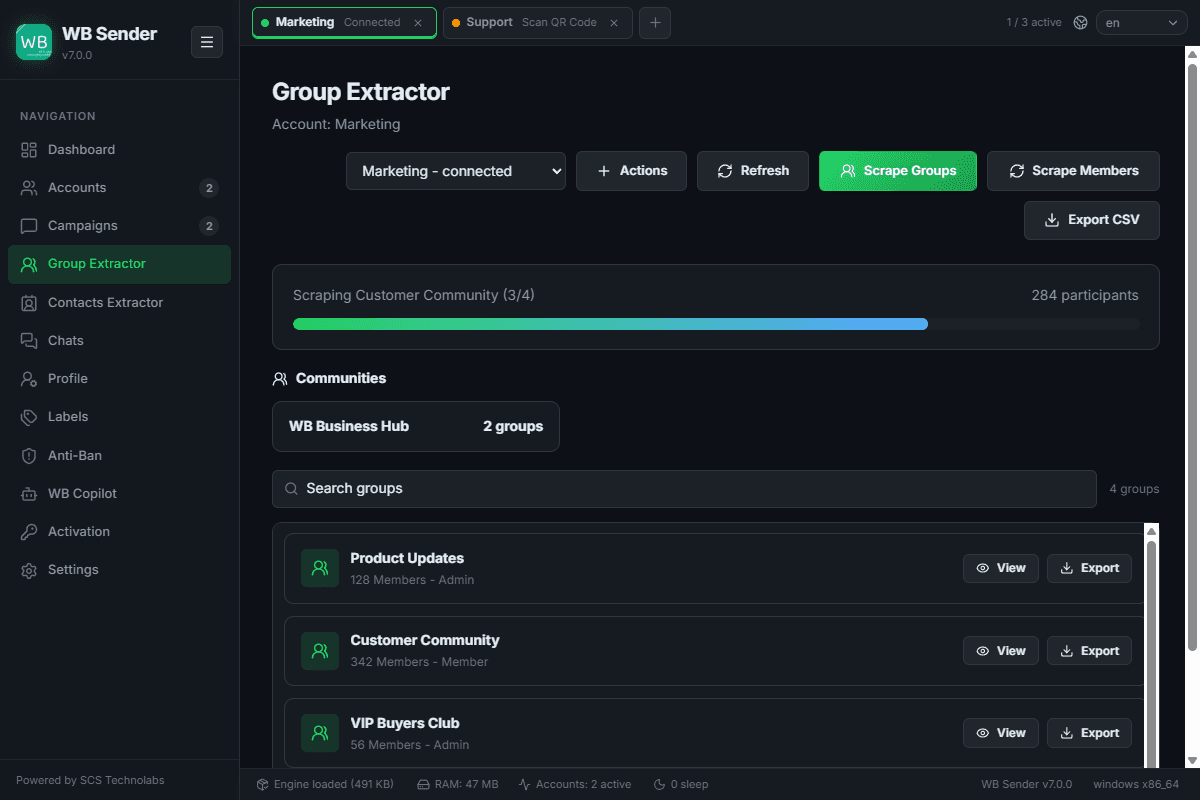
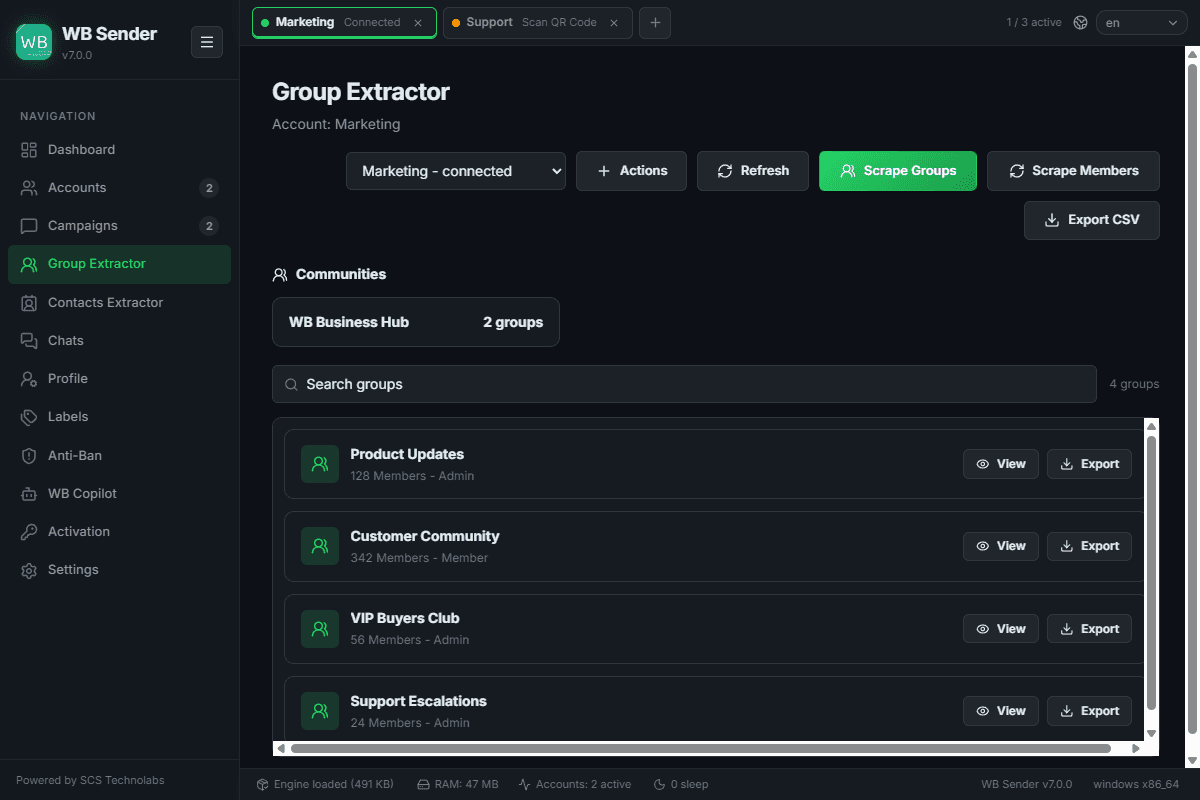
Extract WhatsApp groups and their participants for targeted campaigns. Scrape group metadata, member lists, and invite links — including full WhatsApp Communities support.
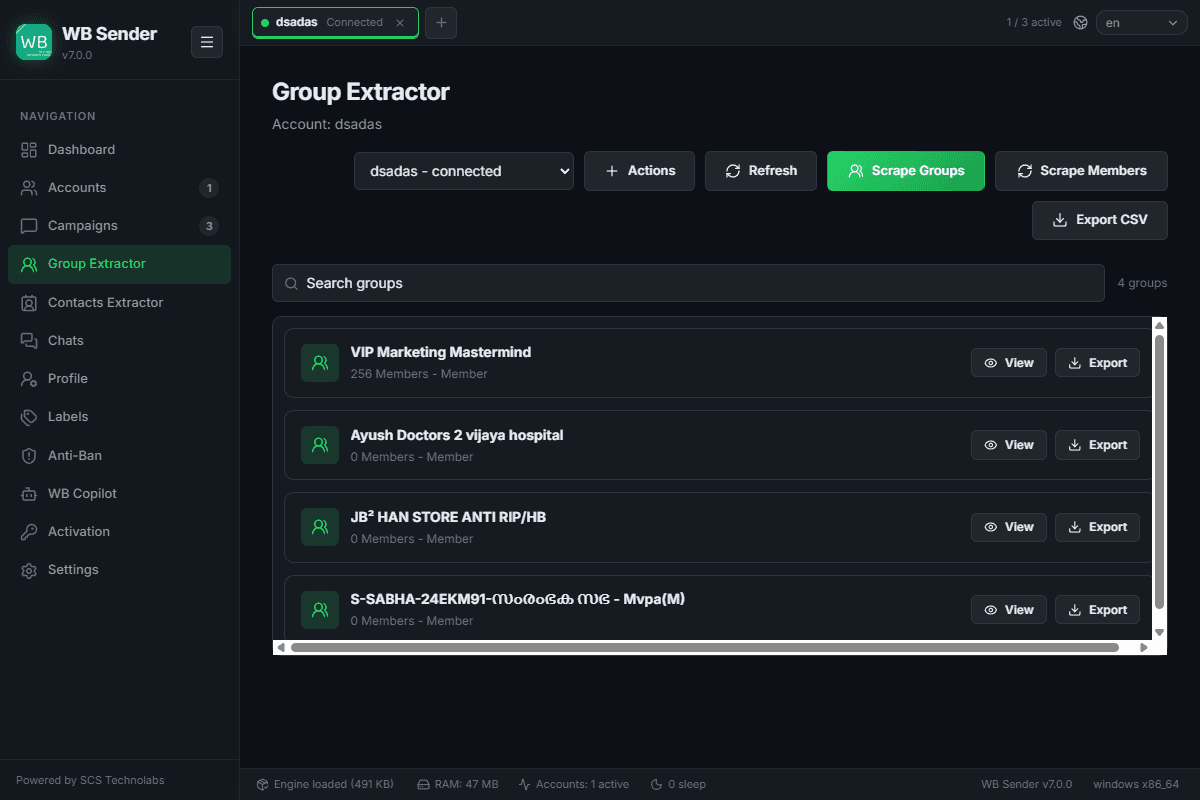
Extract all groups from a connected account with a single click.
Scrape member phone numbers from groups for campaign targeting.
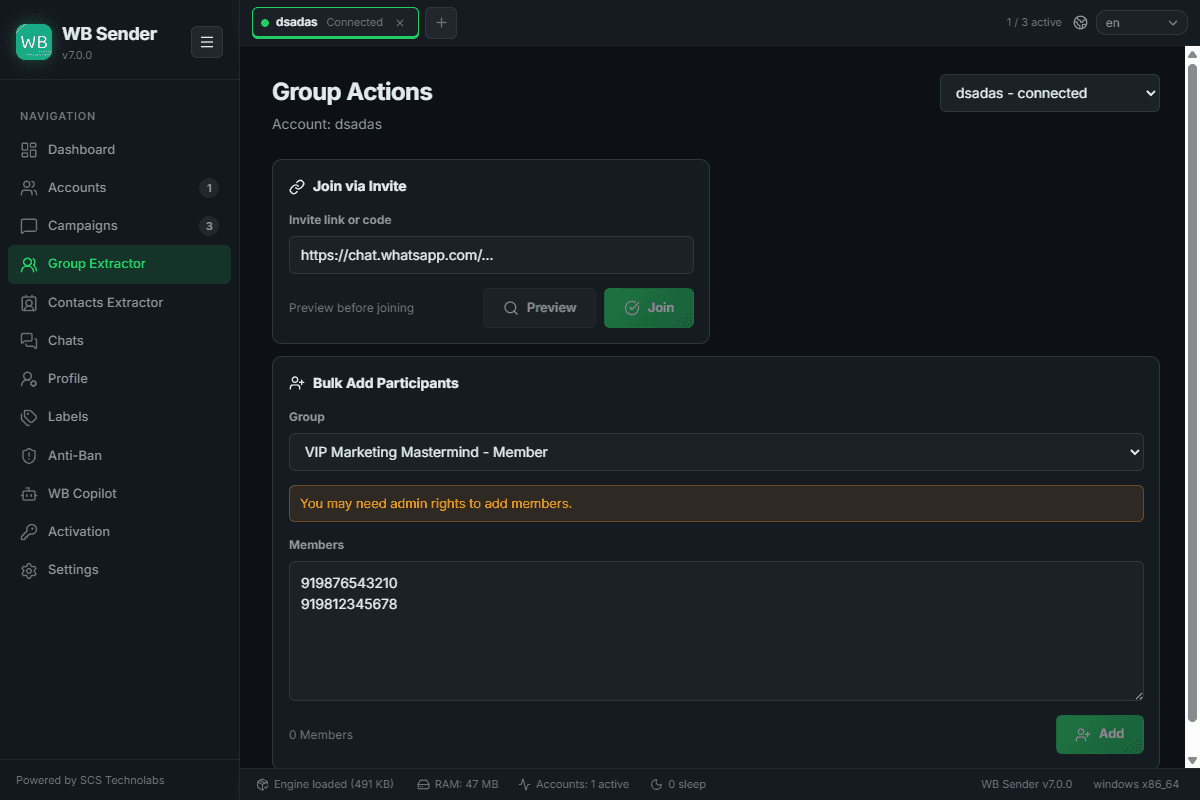
Join groups via link, bulk add participants, or leave groups in batches.
View and manage WhatsApp Communities alongside regular groups.
Screens & States
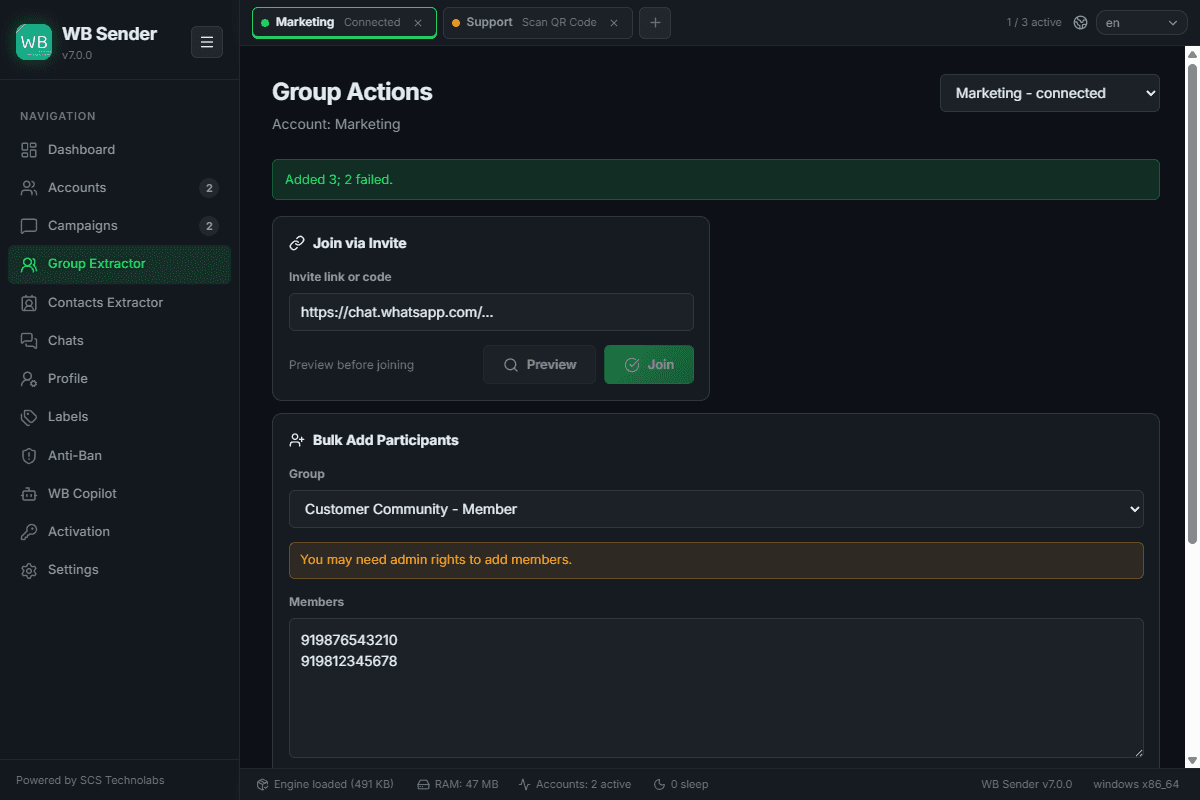
Group Actions
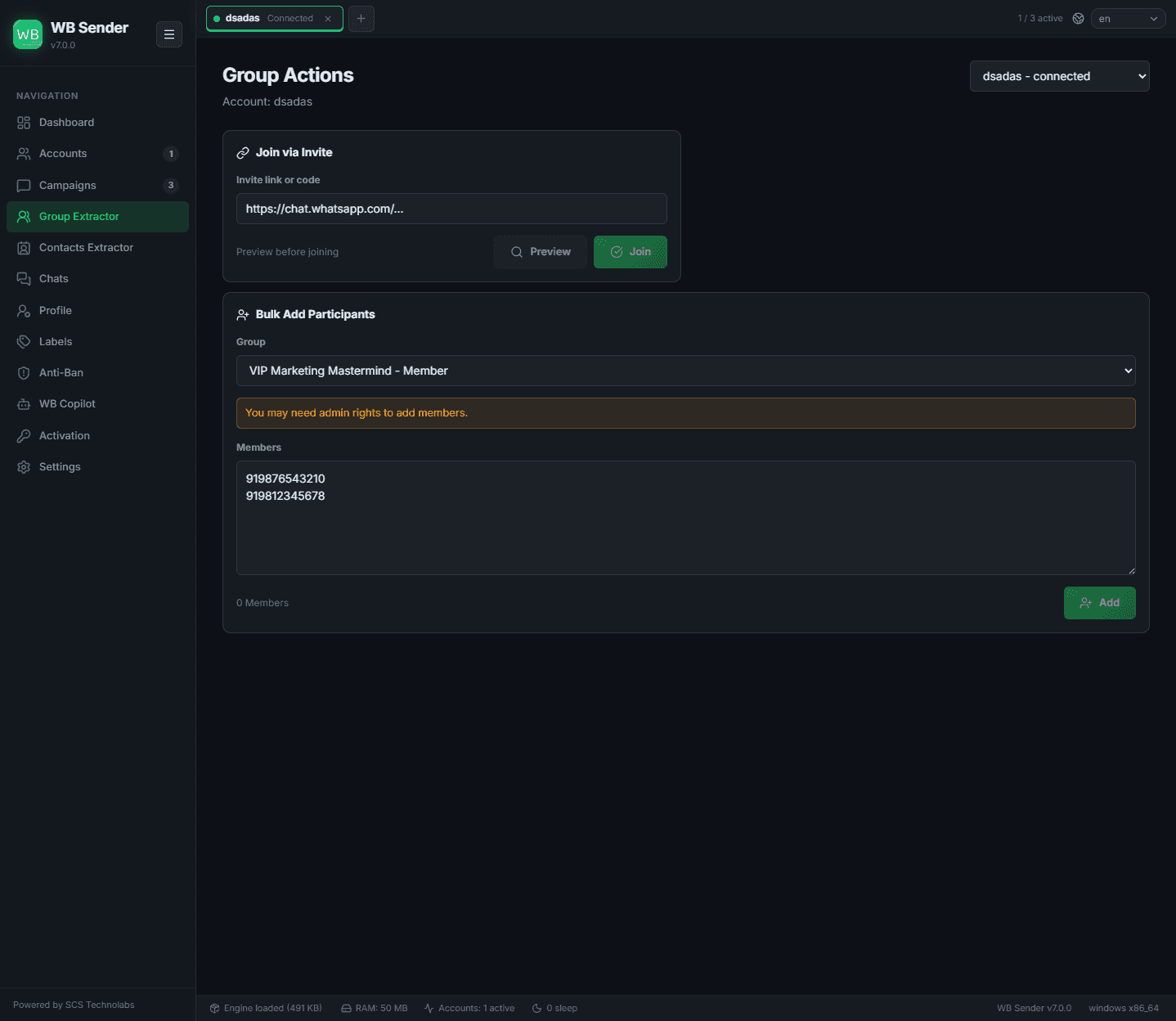
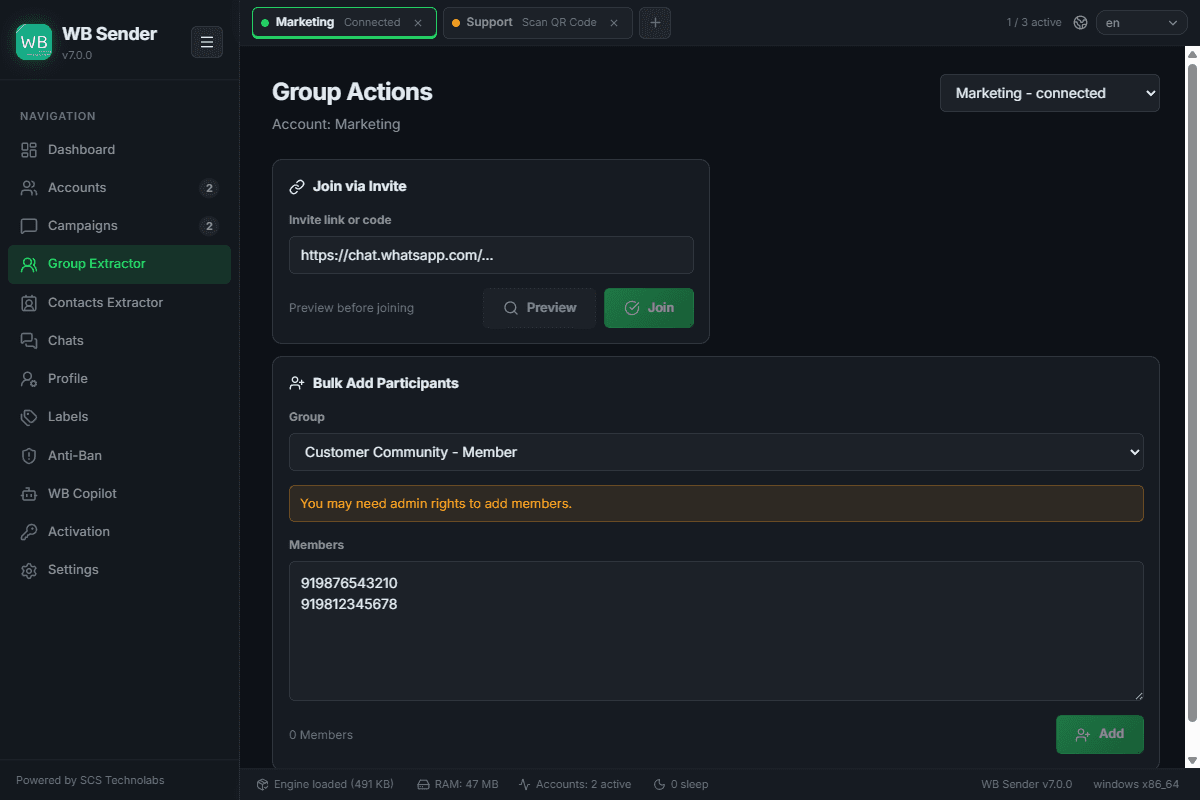
Bulk group tooling — join a group from an invite link, add participants in bulk, or leave many groups at once. Anti-abuse error codes are translated into plain-English reasons.
Screens & States
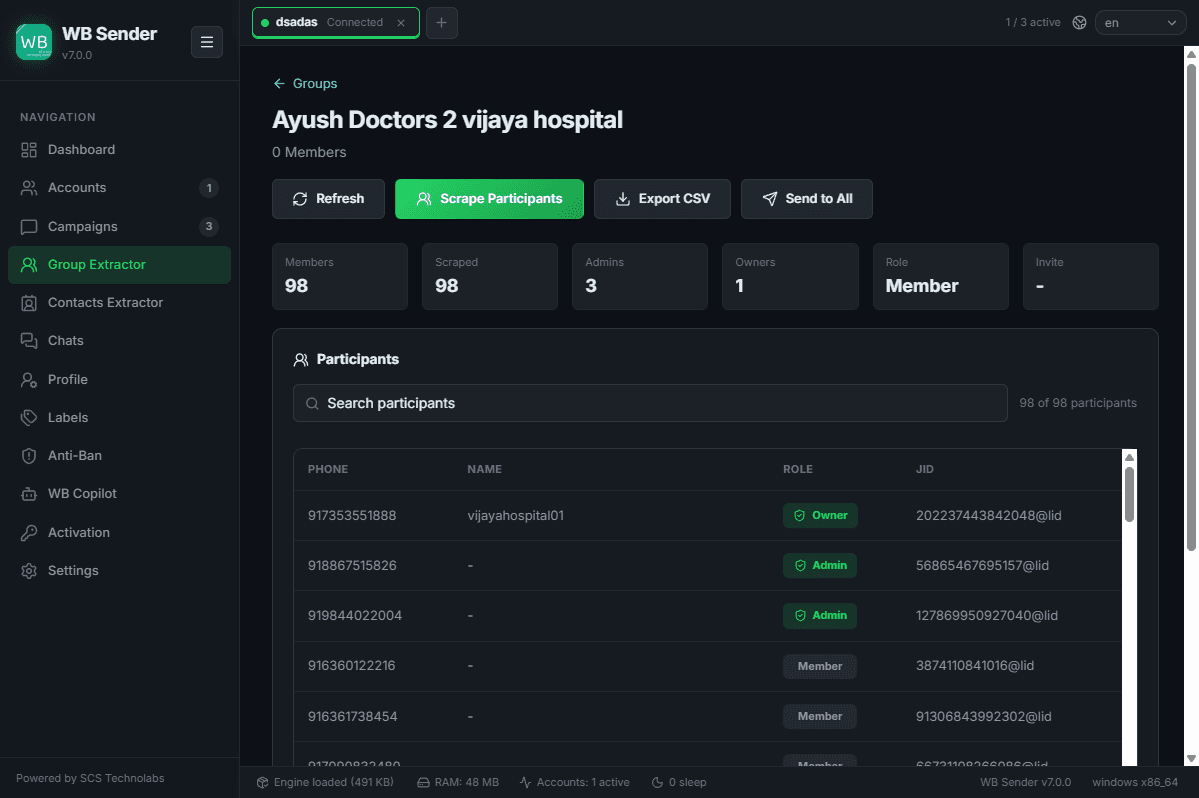
Group Details
The full participant list for an extracted group — export to CSV or push straight into a new campaign. On the free tier, large groups (50+ members) show a paywall overlay with redacted numbers until you upgrade.
Contacts Extractor
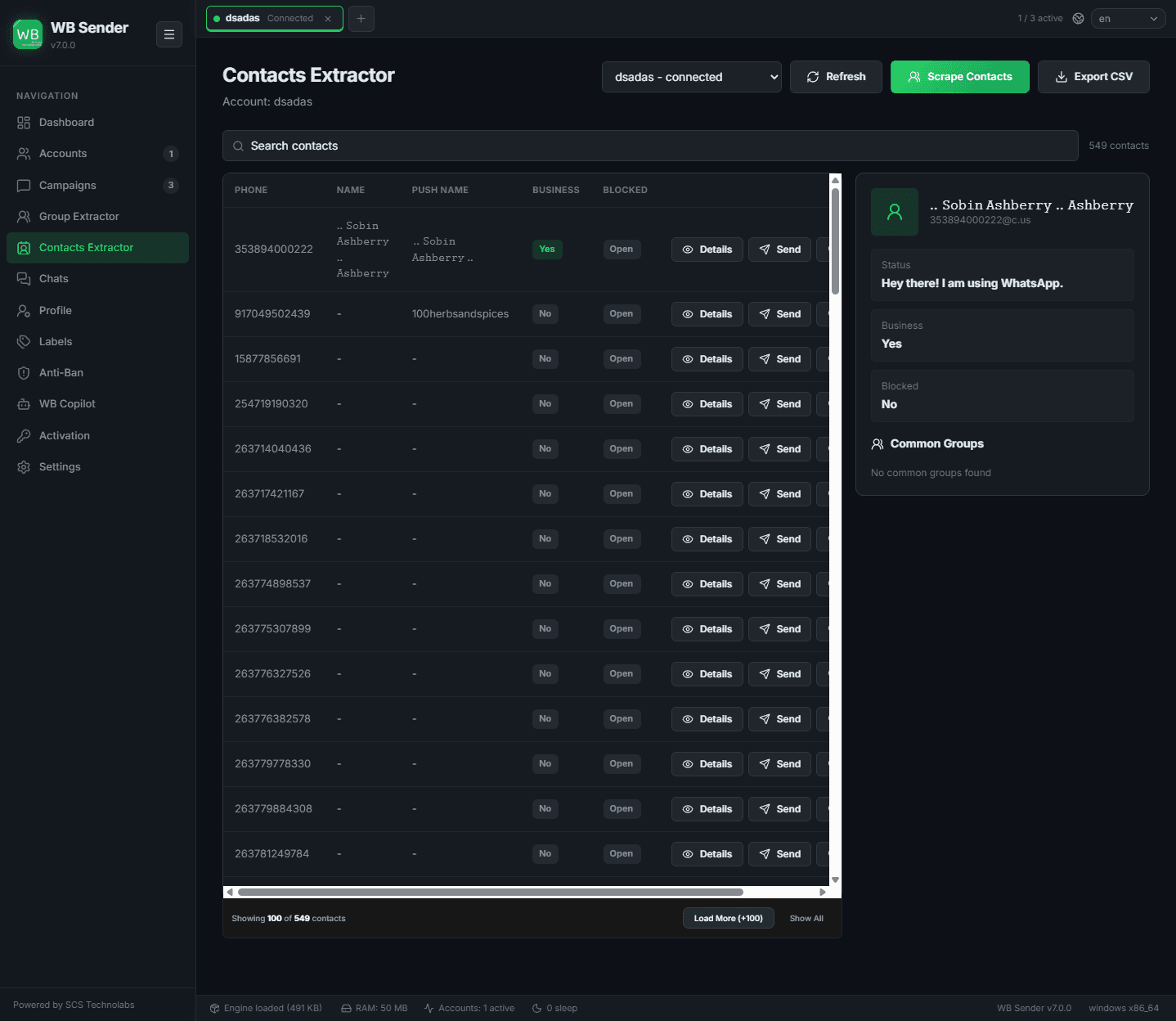
Extract and manage your WhatsApp contacts. View details, profile pictures, and shared groups, then export contact lists or push them into a campaign.
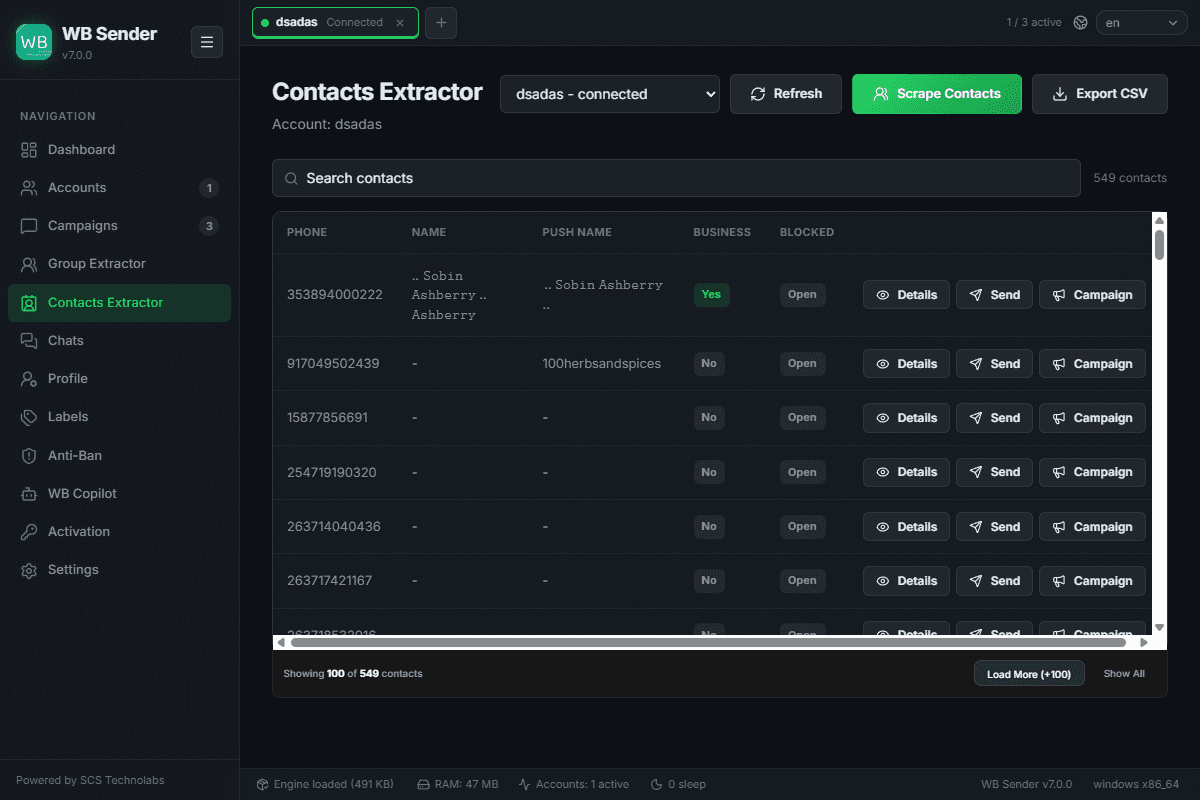
Extract all saved contacts from a connected WhatsApp session.
View phone numbers, profile names, and profile pictures in a side detail panel.
See exactly which groups you share with any selected contact.
Send a single direct message or drop the contact into a new bulk campaign list.
Screens & States
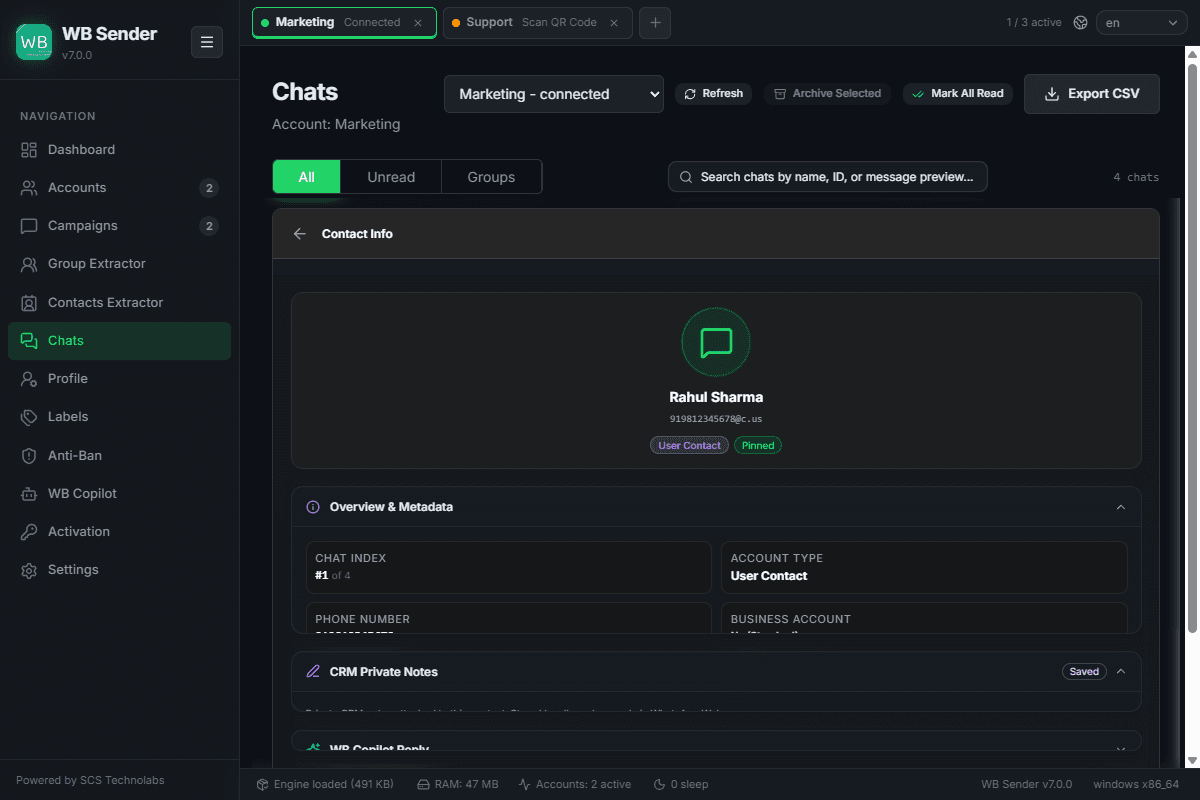
Chat Management & AI Assistant
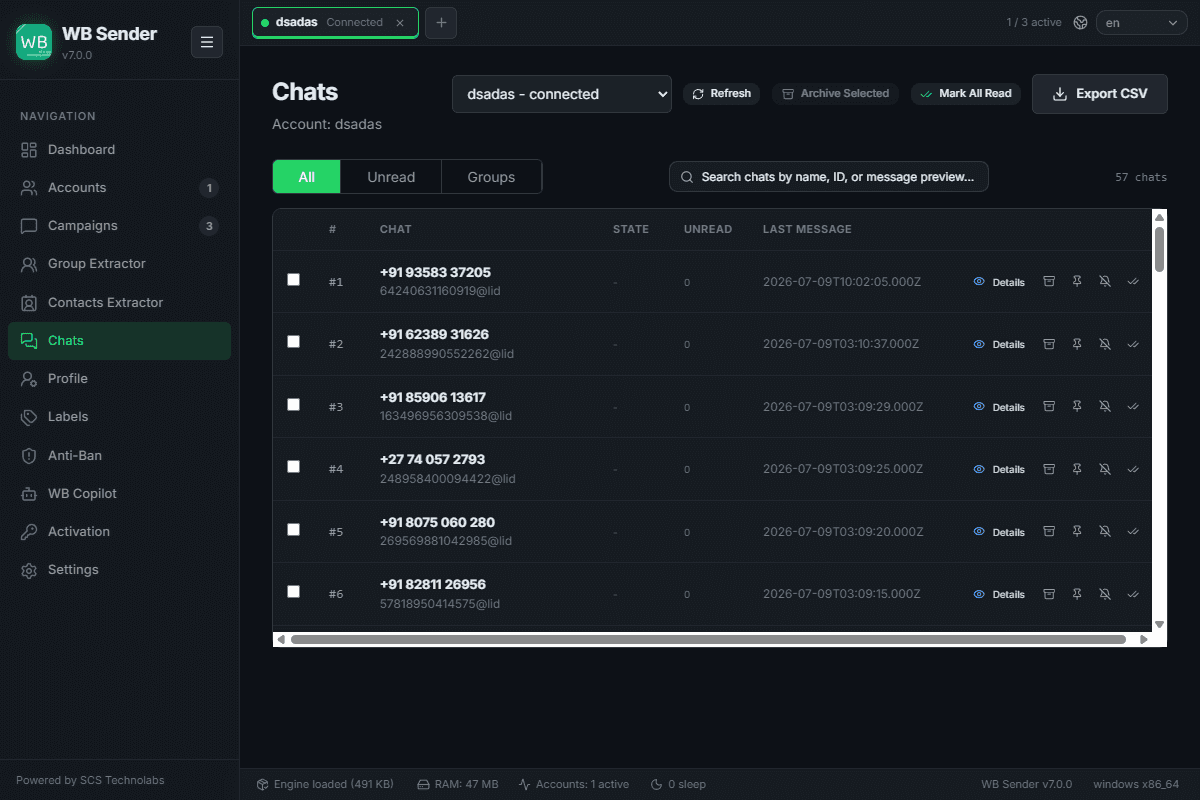
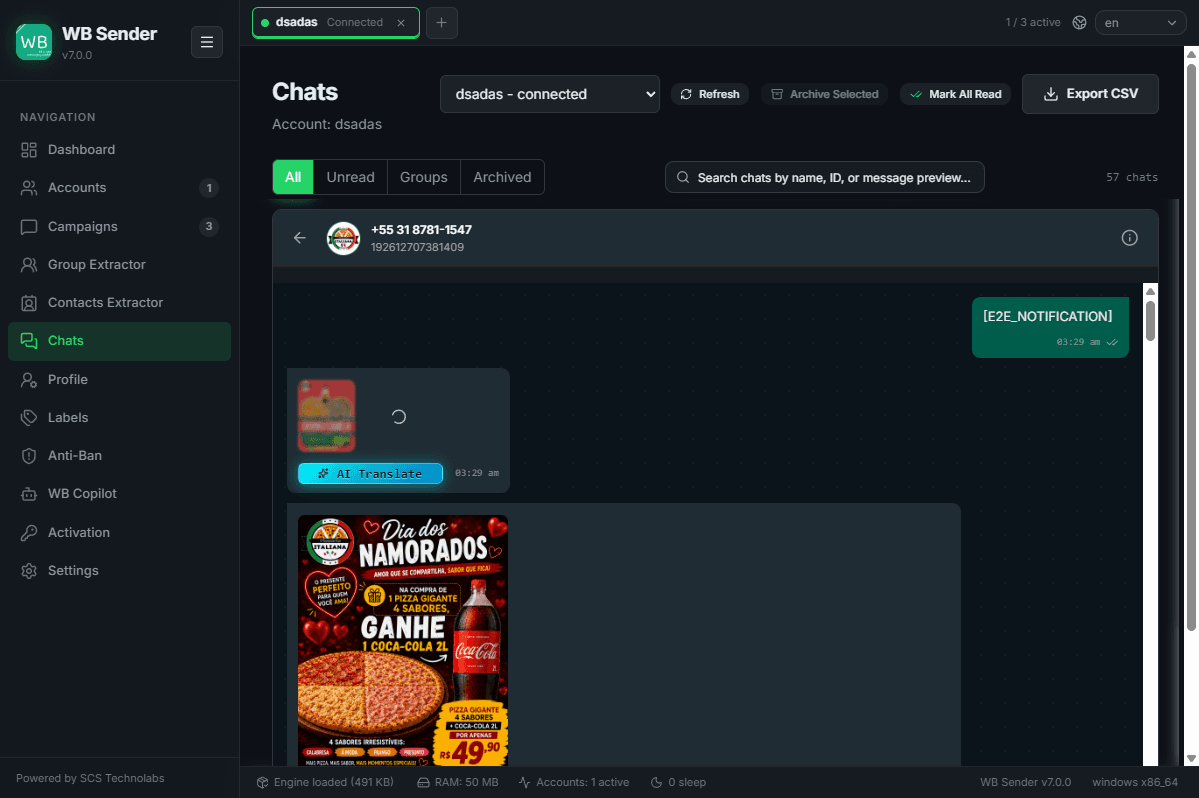
Browse, search, and manage your WhatsApp chats with the power of AI. Summarize long conversations, translate foreign languages, and generate intelligent, context-aware replies — all in one place.
Summarize long, unread conversations to catch up in seconds without manual scrolling.
Generate professional, context-aware responses and adjust tone dynamically.
Auto-detect and translate incoming messages, and reply back in their language.
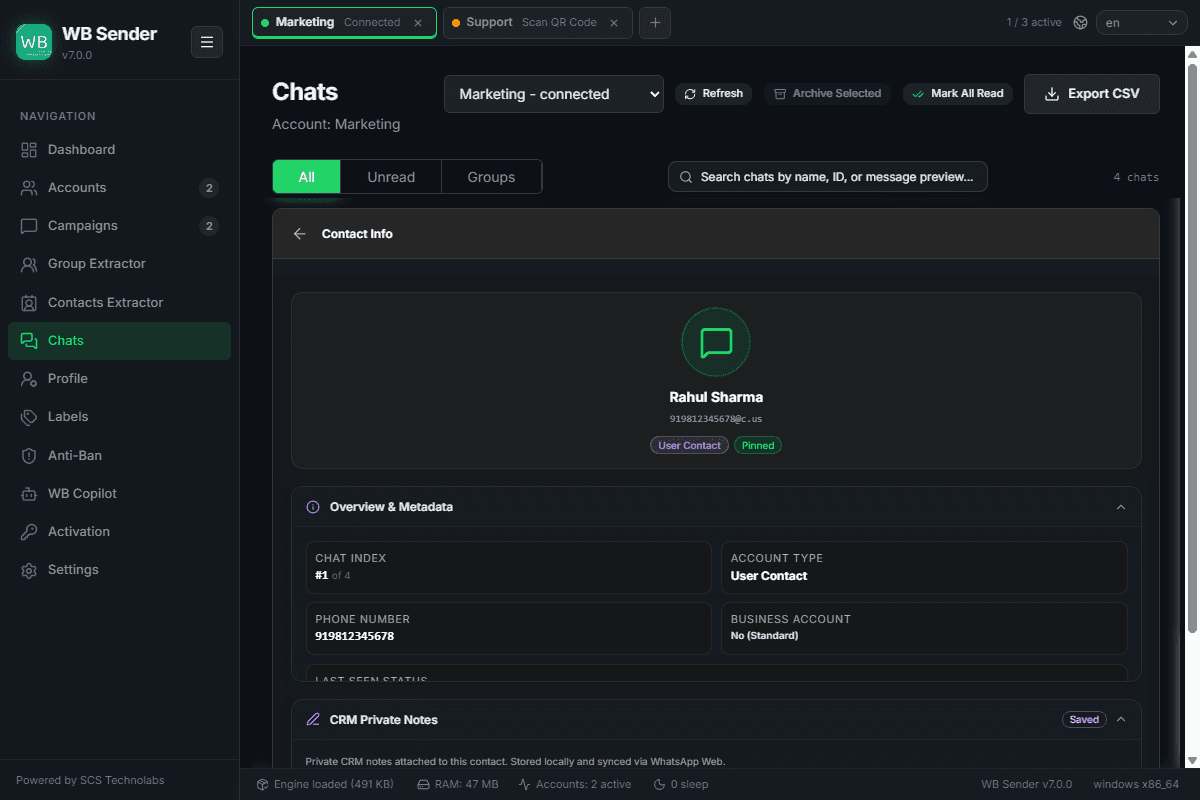
View all active chats, manage read states, and bulk archive / pin / mute.
Screens & States
Profile Management
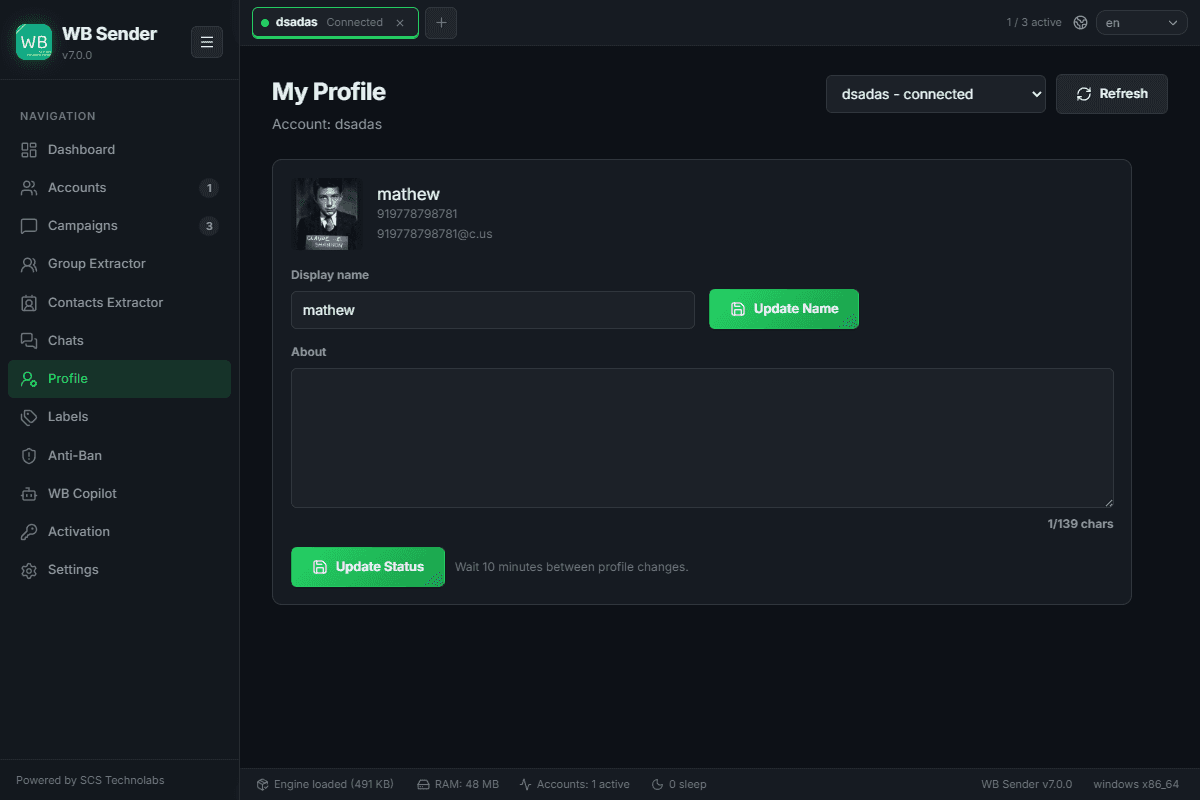
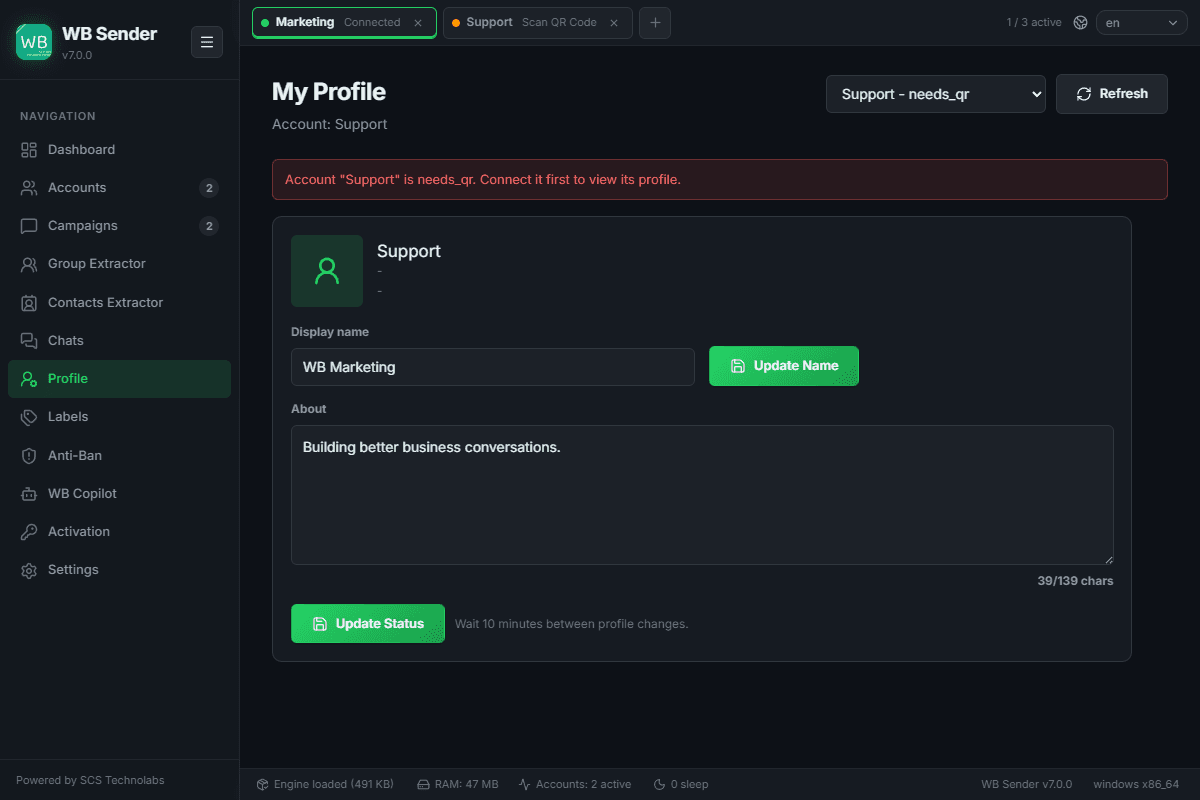
View and edit your WhatsApp profile details directly from WB sender AI — update your display name and status message without opening your phone.
Screens & States
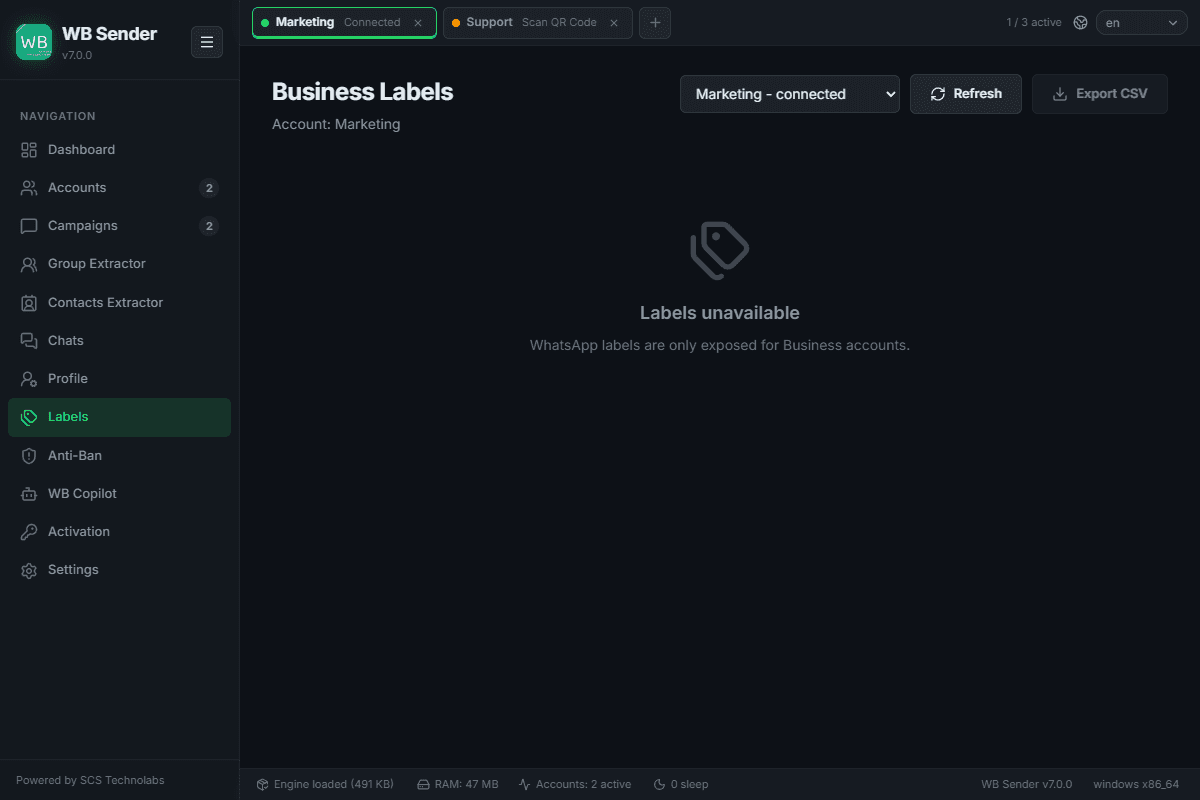
Business Labels
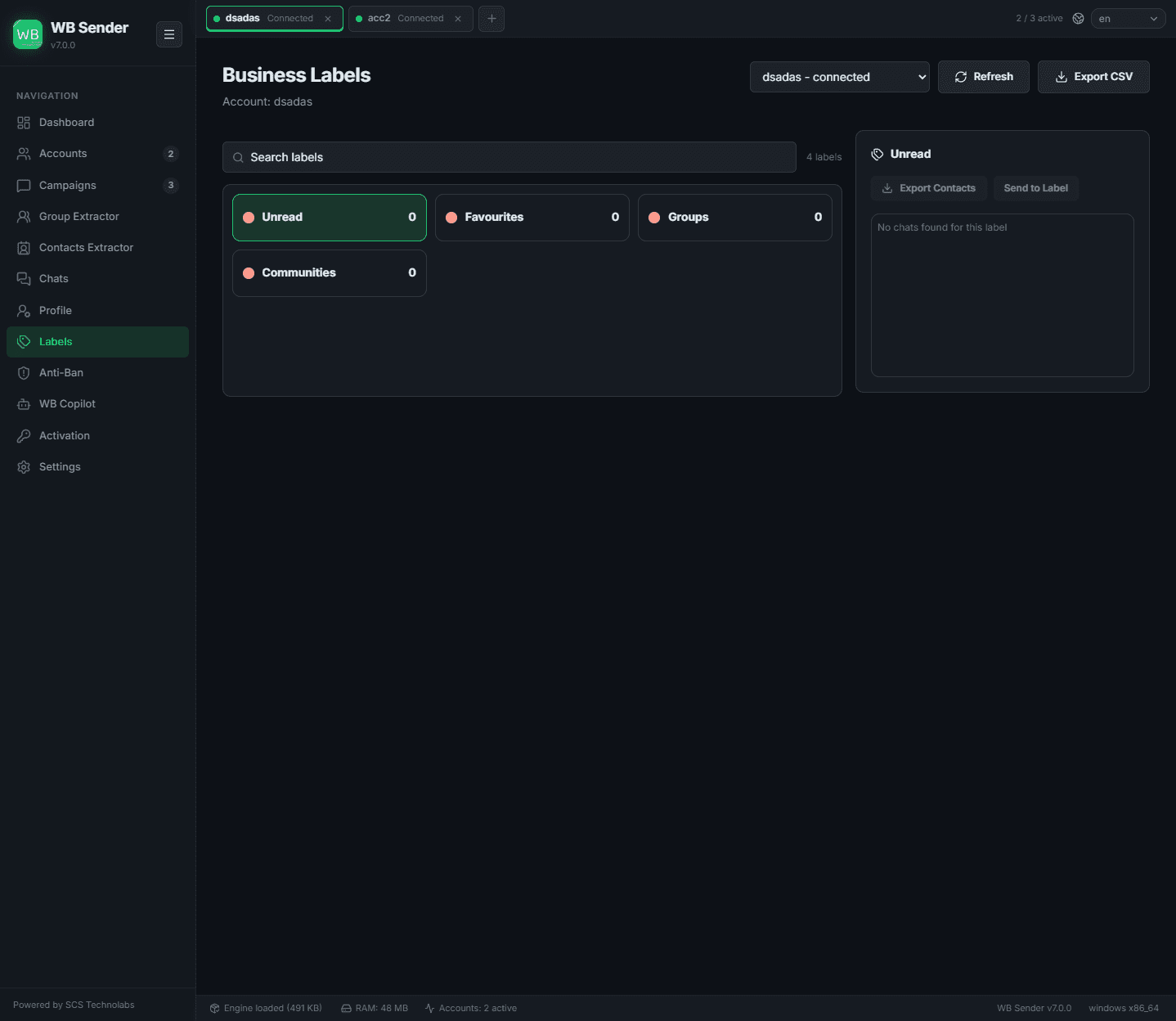
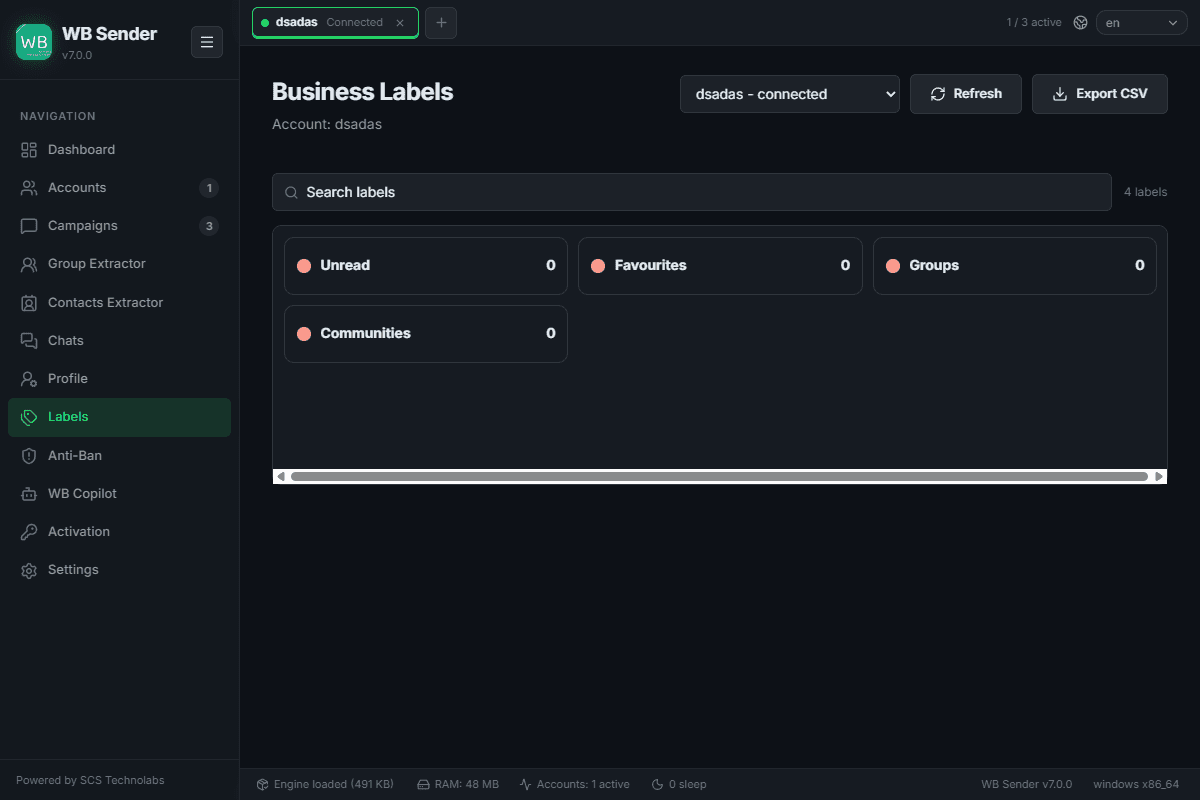
Organize your chats with WhatsApp Business labels. Filter chats by label, assign labels, and export labeled contact lists straight into a campaign.
Screens & States
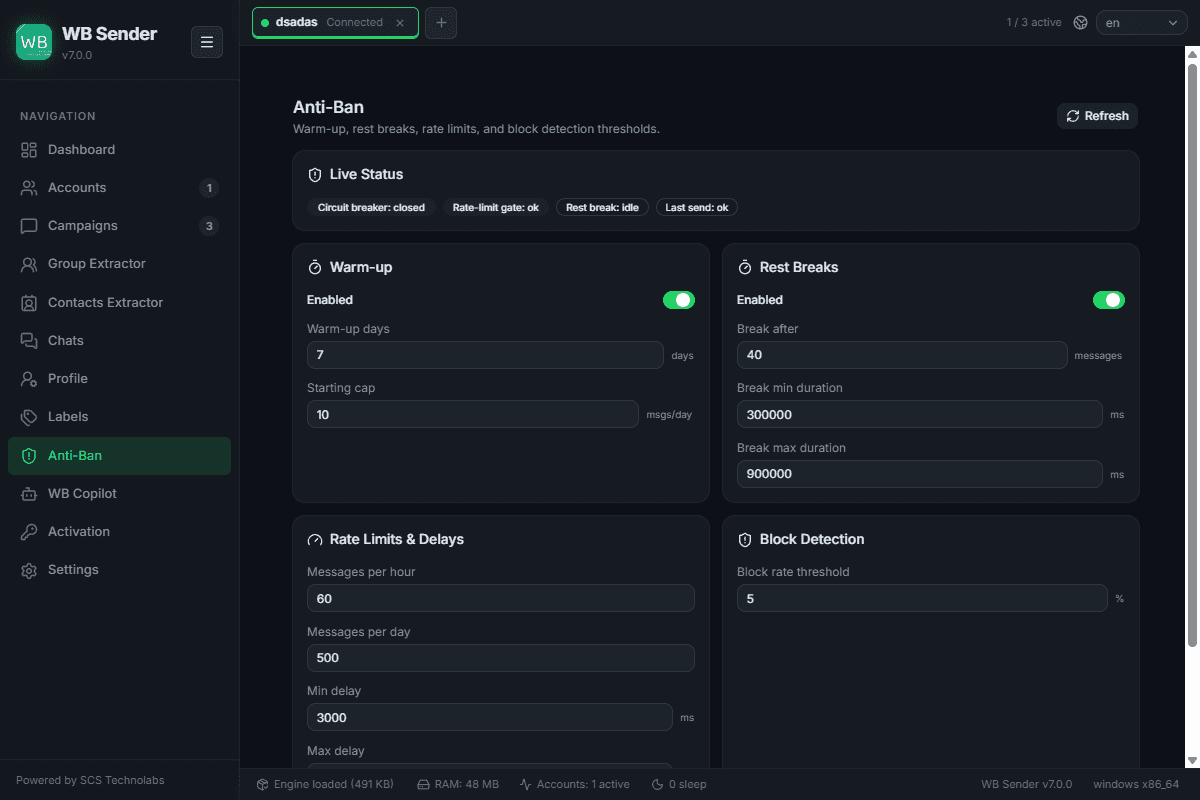
Anti-Ban Engine
Account safety is the most critical part of WhatsApp marketing. WB sender AI's proprietary Anti-Ban Engine mimics authentic human behavior — automatically regulating sending patterns so your numbers never trip WhatsApp's automated spam filters.
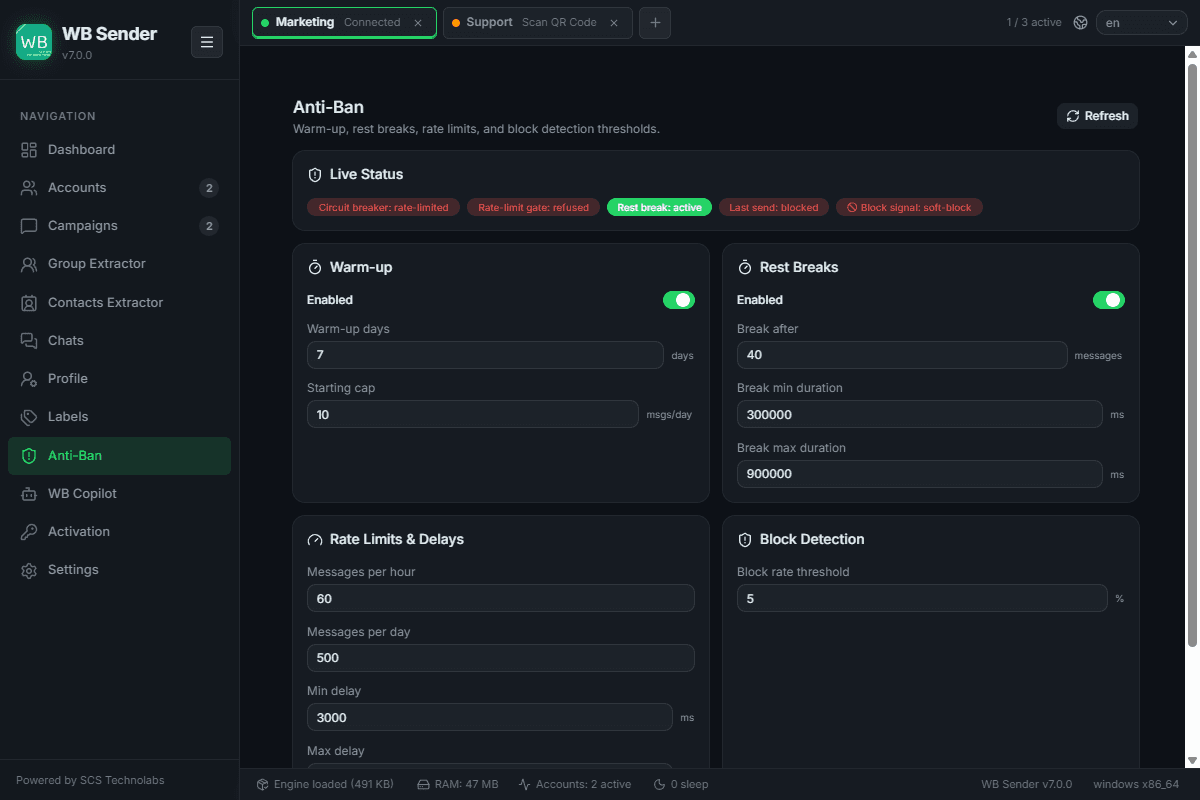
Core Safety Mechanisms
New or rested accounts get banned if they suddenly send thousands of messages. Warmup Mode restricts initial volume and gradually scales your daily limits over a configurable multi-day period — building account trust organically before big campaigns.
Robots send at exact intervals; humans don't. WB sender AI adds dynamic, randomized delays between each message (e.g. 3–12 seconds), making campaign execution indistinguishable from manual sending.
Configure absolute safety ceilings — e.g. 60 messages/hour or 500/day. When a limit is hit, the engine pauses the campaign and resumes automatically once the cooldown expires.
Humans take breaks. Configure the engine to pause for a rest period (e.g. 15 min) after a batch (e.g. every 50 messages) — further masking automated behavior.
WB sender AI constantly monitors deliveries vs. blocks/failures. If the block rate crosses a safe threshold, the engine immediately halts the campaign to protect the account from suspension.
Screens & States
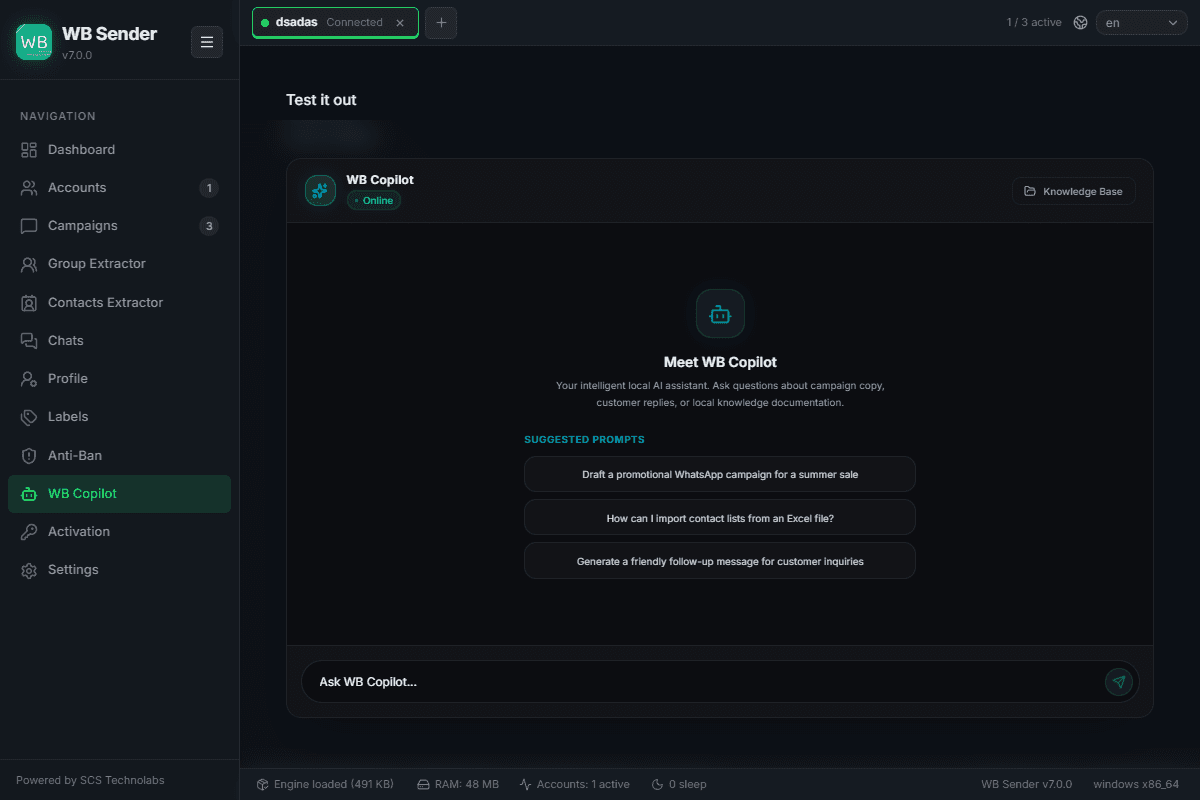
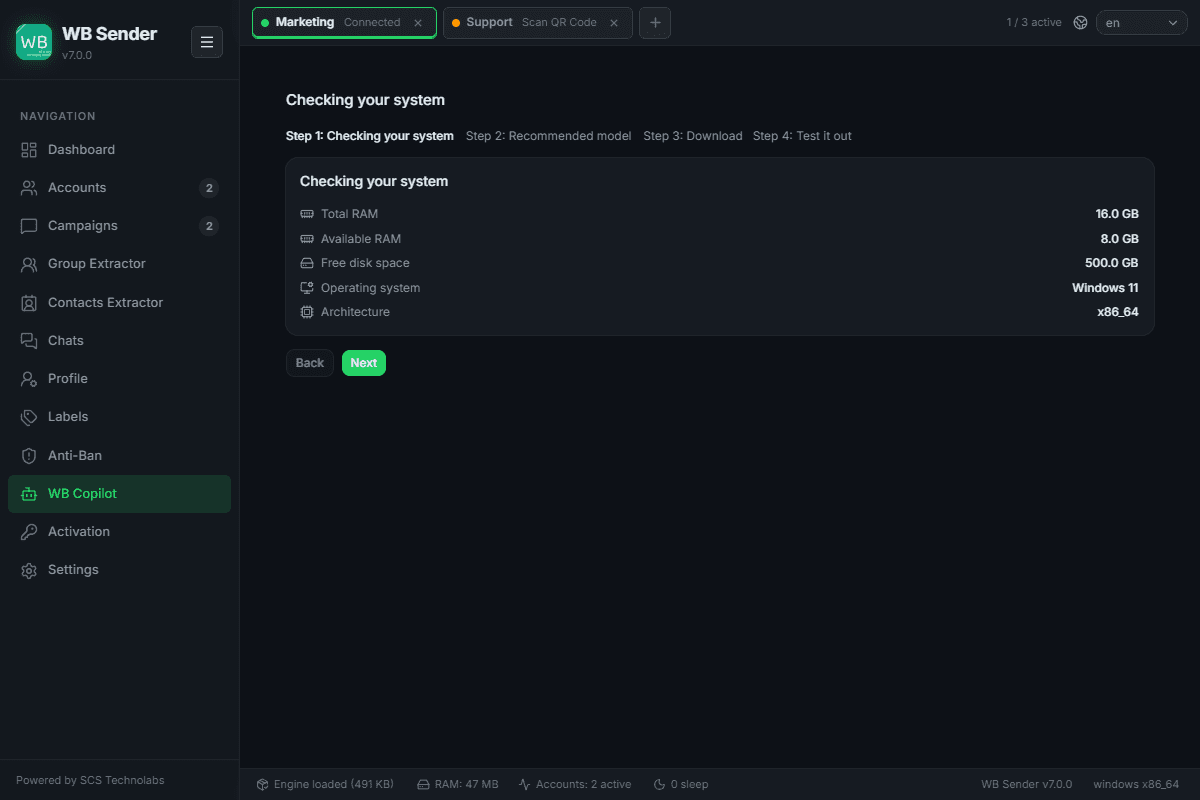
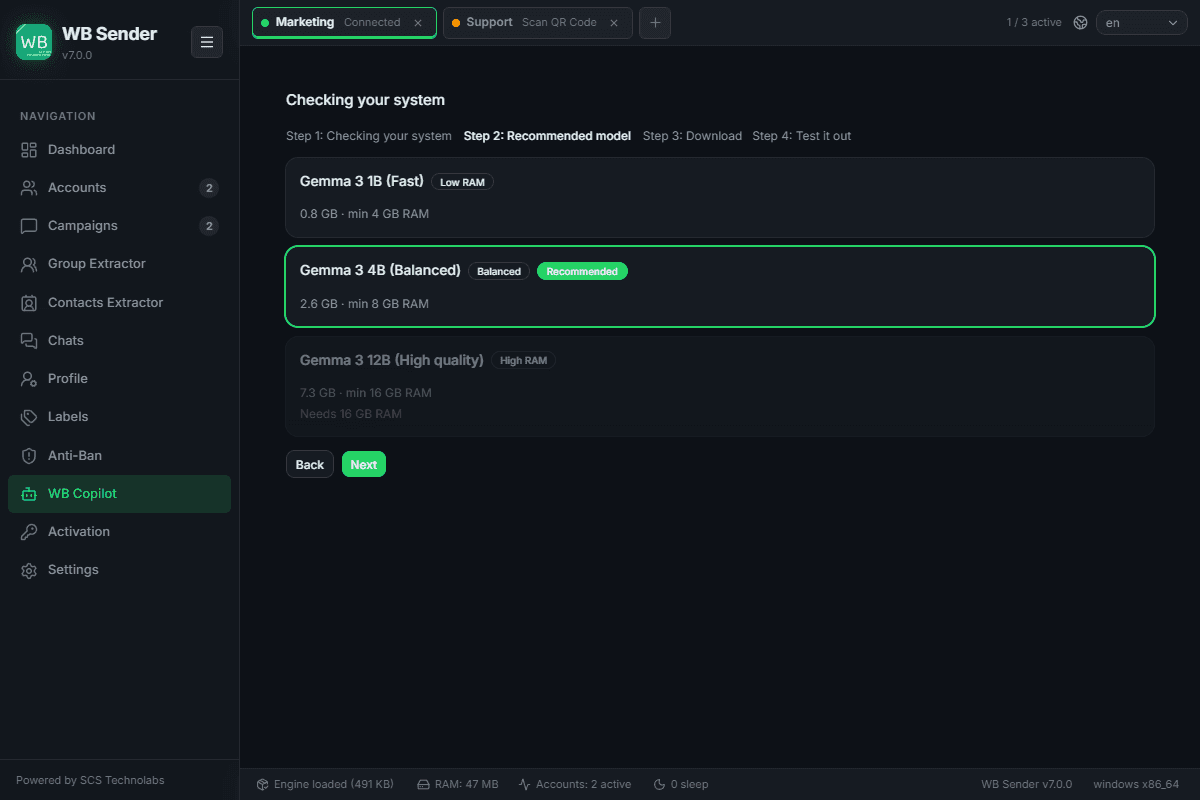
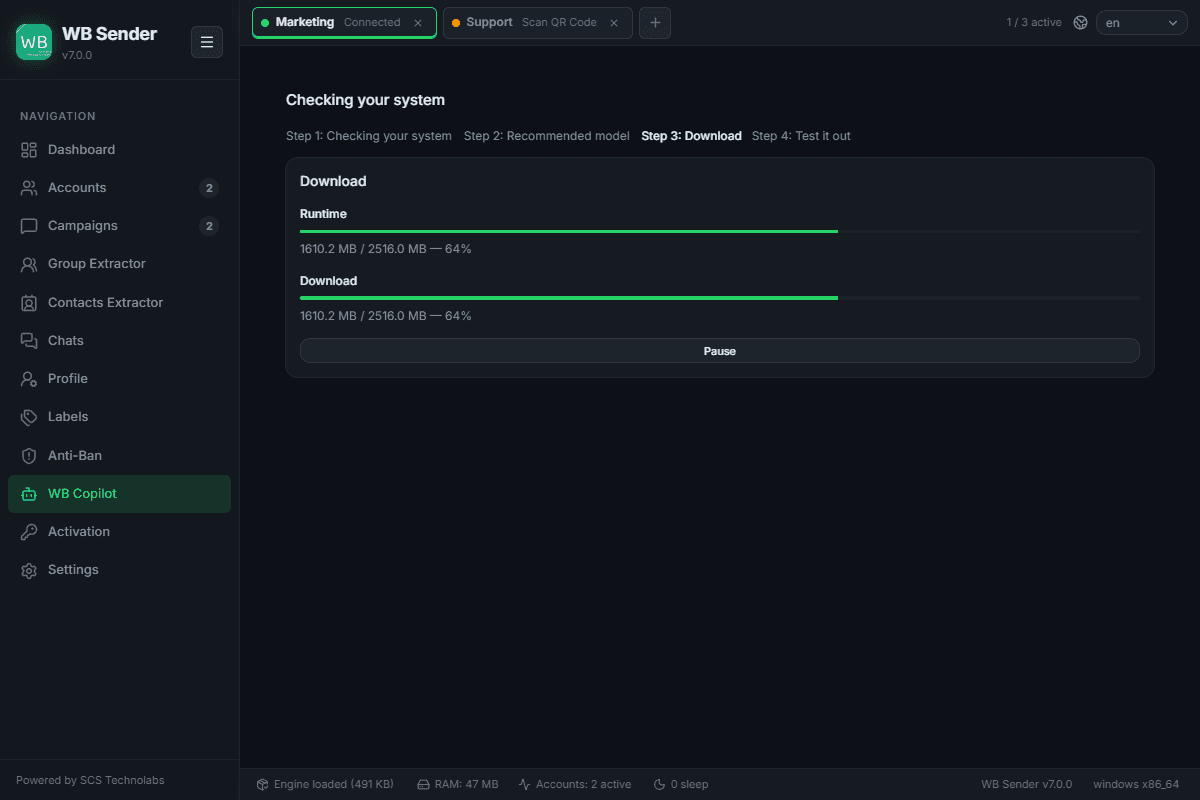
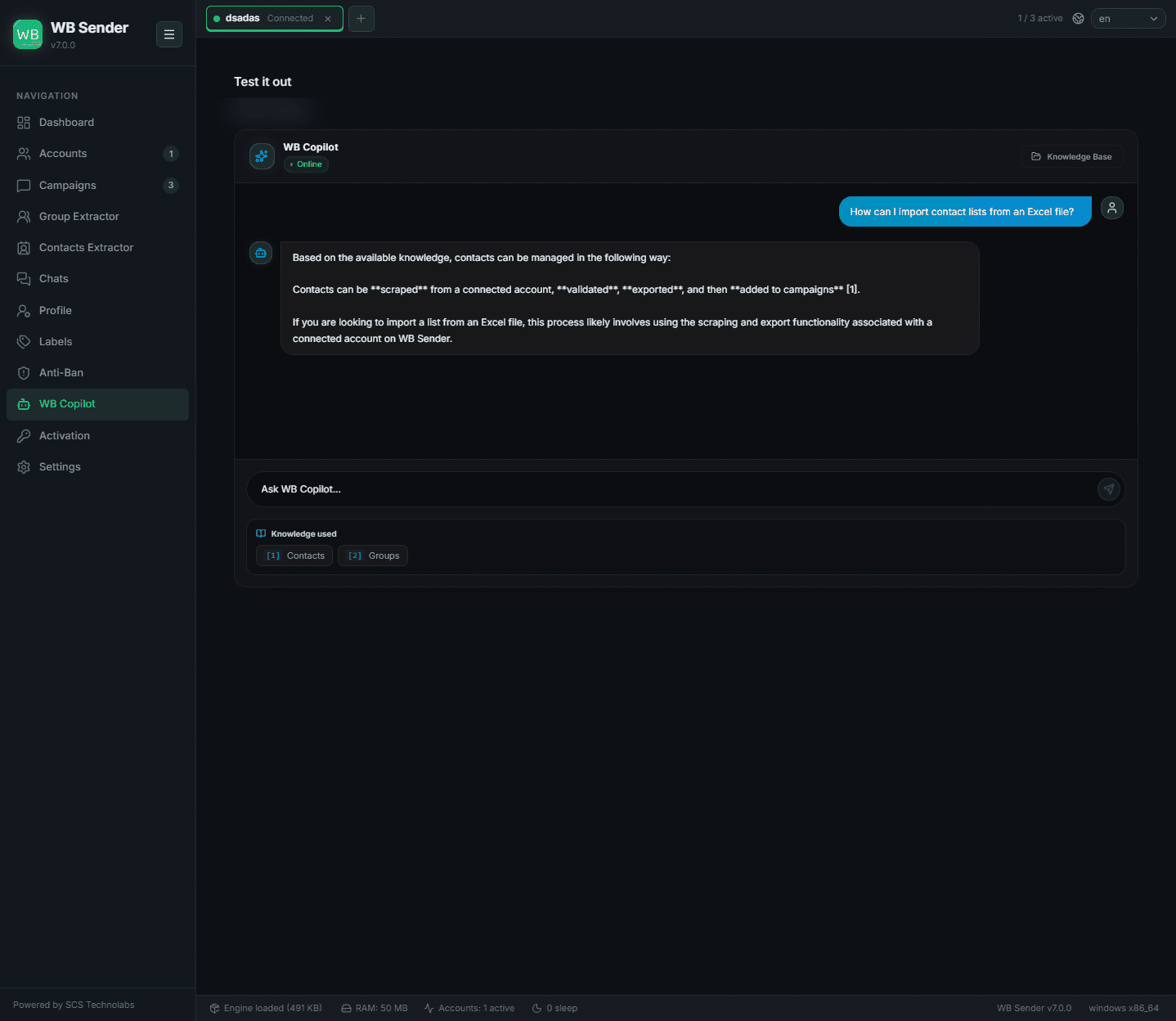
WB Copilot: The AI Marketing Moat
WB Copilot is your competitive advantage — a powerful, locally-hosted AI assistant built for WhatsApp marketing and support. Because the models run entirely on your own hardware, your customer data, chats, and strategies never leave your computer: 100% privacy, zero recurring API cost.
Next-Generation AI Capabilities
Sending identical text to 1,000 people is a guaranteed ban. WB Copilot generates hundreds of unique, contextually identical variations of your core message, so every recipient gets a uniquely phrased text that bypasses filters.
Manual spintax is tedious and error-prone. Describe your goal and WB Copilot instantly builds complex, multi-level nested spintax that maximizes uniqueness while keeping perfect grammar.
One click scans a chaotic chat history and returns a concise, bulleted summary of intent, pain points, and required customer actions.
The AI reads the last messages and drafts the perfect response — then use the Tone Adjuster to rewrite it as Empathetic, Urgent, Professional, or Casual before sending.
Break global barriers. WB Copilot auto-detects incoming language and translates it to yours; type your reply and it translates back into the customer's exact dialect — close deals worldwide without speaking the language.
Setup Wizard Steps
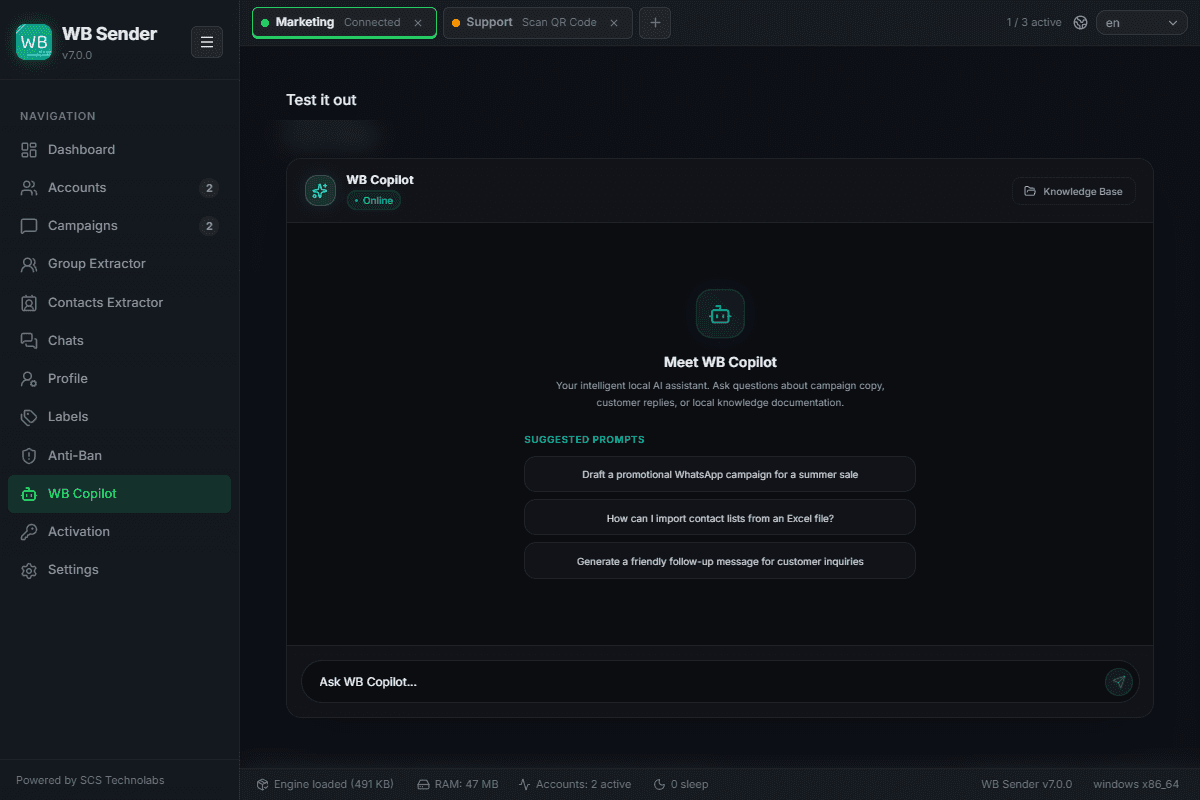
Application Settings
Configure the WB sender AI engine, messaging parameters, performance limits, and data management. This is where you fine-tune the application's core behavior.
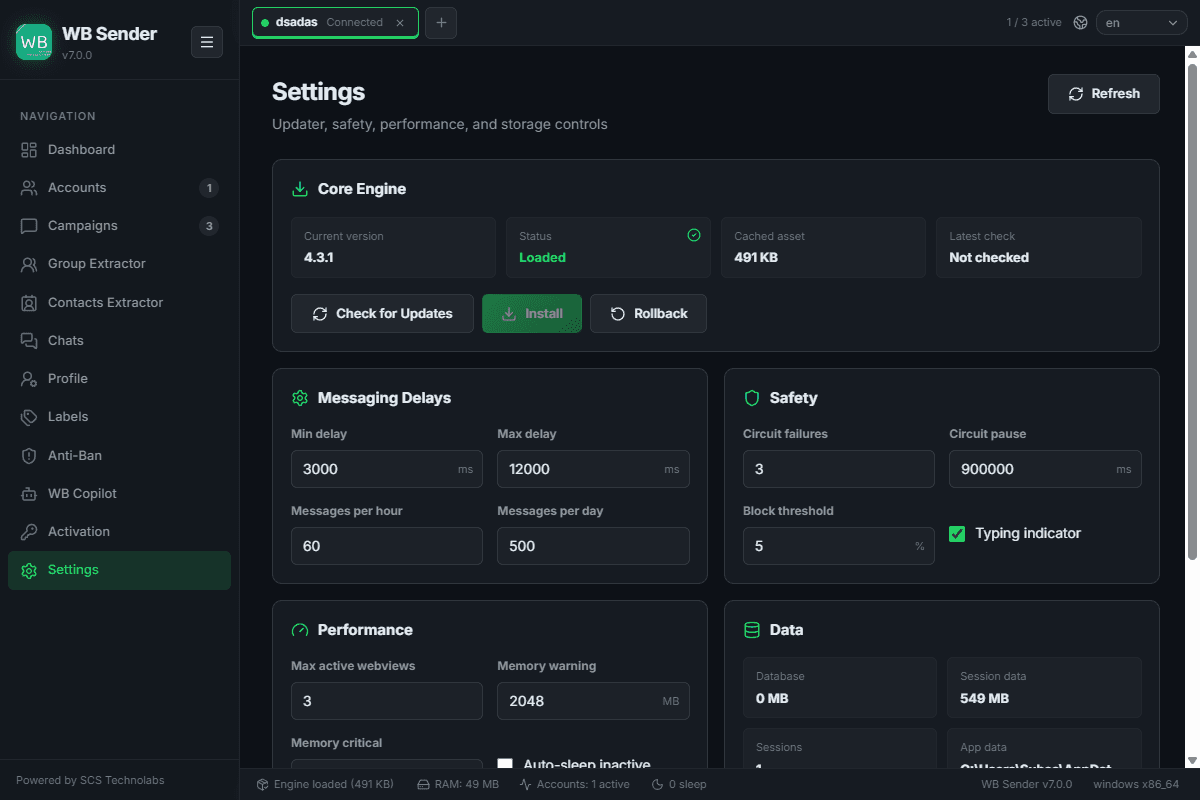
Check for updates, install new versions, or roll back the core automation driver.
Fine-tune min / max delays and messages per hour / day limits.
Configure circuit-breaker thresholds and typing-indicator simulation parameters.
Set maximum active background webviews and system memory-warning thresholds.
View local sqlite database sizes, manage session cache, and reset setting presets to defaults.